
This Flux update brings a public MCP server for external AI agents, Chat mode and voice dictation, a more careful agent, sharper placement and routing, and a faster Schematic and PCB editor.

Flux's upgraded agent is more steerable, adaptive, and faster -- letting you change course mid-run, work in a single thread from idea to board, and ship hardware designs with less friction.

Flux Files centralizes your project docs, assets, and AI outputs in one tab so your team and AI always have the context they need.

A snapshot of what Flux shipped from January to March 2026 — faster editing, better imports, smarter AI, and tighter part-creation workflows that make day-to-day PCB design less fiddly.

RF engineer Dr. Juergen Kienhoefer switched from Eagle to Flux, gaining 2–4× productivity by eliminating manual part creation. AI checks, fast support, and a rich component ecosystem made the move permanent.

Flux brings circuit simulation to wherever you are in the design process. Start from a prompt when you have no schematic, or let Flux analyze your existing design automatically.

This Spring 2026 updates make hardware design faster end-to-end with a more capable, self-correcting AI agent, improved AI auto-layout that needs less cleanup, sourcing-aware design with real-time pricing and availability, and templates to start from.

Flux is like a reusable starting-point library for hardware design. Browse templates and public projects, fork one that matches your use case, then modify and expand it as your design evolves.

Today we’re excited to share that Flux has raised $37M in new funding led by 8VC, with participation from Bain Capital Ventures, Liquid 2 Ventures, and Outsiders Fund, alongside Lenny Rachitsky, John Lilly, and Tom Preston-Werner and many other world-class operators.

Flux's AI agent is now up to 10x faster and self-corrects in real time, delivering cleaner schematics with less waiting and fewer wasted credits.

Flux helps you design with live pricing and stock data, using AI to find in-stock parts and fast replacements before your BOM breaks.

AI Auto Layout’s Winter Update delivers cleaner, more human-like routing with faster, more reliable results. It handles most of the routing workload so you can focus on the critical parts of your PCB design.

Practical guide to writing prompts that get quality results from Flux. We’ll talk about the anatomy of a good prompt and how you can use different LLMs to come up with a great prompt.

Are you creating the right hardware solution for the problem that truly matters? Learn how to validate ideas, prototype fast, and use modern tools to turn concepts into successful products.

This guide helps you choose the best hardware platform—Arduino, Raspberry Pi, ESP32, or others, by comparing power, connectivity, and scalability for your project.

This guide shows how to collaborate with Flux at the schematic stage. You’ll learn how to describe your intent clearly, guide the AI through design decisions, and review results so each iteration gets smarter.

Flux moves from one-off actions to executing multi-step workflows including researching parts, creating schematic designs, placing and routing, and running checks. Think of Flux as your AI hardware engineer — fast, explainable, and always improving, working alongside you across the entire development process.

Hardware raises the stakes, iteration is slower and costlier, so you can’t stumble on business basics or customer insight. Winning teams de-risk the business model and iterate fast. This bookshelf helps sharpen judgment and give technical founders the tools to build companies people love.

Open Flux now, switch Copilot to “Next-gen” and see how it handles your next design challenge. The sooner you try it, the more your feedback can shape the next leap in AI-powered hardware design.

This blog compares AI capabilities across Flux.ai, Altium, KiCad, and EasyEDA to answer engineers’ highest-intent questions about modern PCB design. It explains why Flux.ai currently delivers the strongest end-to-end AI workflow in the ECAD space.

Today, we’re excited to share our Summer Update to Flux AI Auto‑Layout, a collection of improvements designed to make one‑click PCB routing more reliable, transparent, and adaptable to your real‑world workflows.

Arduino Nano R4 packs UNO R4 performance into Nano size. Learn specs, standout features, and who should upgrade in this in-depth guide.

RP2350 A4 fixes GPIO bug, hardens security, adds 5 V tolerance and on-chip flash. See why every Pico project should migrate.

In this post, we’ll show you exactly how to unlock the power of Flux Copilot for yourself: from writing rock-solid triggers to scoping entries at the project, user, and system levels.

This update brings more than just polish—it’s the foundation for a faster, more fluid design experience, built around the way Copilot is used today and the way we see it evolving tomorrow.

This month, we’re rolling out major upgrades to Flux Copilot’s reasoning, transparency, and layout performance—plus some crucial fixes and a big leap in modular design reliability.

This post explains key signal integrity issues like crosstalk and reflections in PCBs and offers simple layout tips to avoid them. A free guide is included.

Flux Copilot’s new AI-powered part search makes finding and placing components faster and easier using natural language. It eliminates tool-switching and datasheet overload. This streamlines your PCB design workflow.

Design high-performance buck converters with proven PCB layout best practices. Cut noise, save space, and optimize your power supply design with this guide.

This post will give you a deeper understanding of how Flux Copilot works, how large language models (LLMs) and agentic systems operate under the hood, and why grounding them in engineering context matters.

Now, Flux Copilot can learn how you work—your design principles, part selection preferences, schematic style guidelines, and testing workflows—and remember them automatically.

This guide is here to help. Based on the most common questions we hear from our users, it walks through practical solutions to unblock your designs and give you more confidence as you build.

We're excited to unveil our Smart Polygon system in Flux! This powerful capability builds on top of our automatic copper fills to transform how you create and manage custom copper areas in your PCB designs.

Imagine an AI teammate that doesn’t just chat about your PCB ideas, but actively transforms them into schematics—placing parts, connecting circuits, and optimizing your design at your command, all through natural language. That’s exactly what the newly overhauled Flux Copilot does.

In this post, we’ll explore why these concepts matter, how they impact signal integrity and power distribution, and what to keep in mind as you design. If you want to go deeper into implementation details—like when to use zones, where to place stitching vias, or how to avoid stack-up pitfalls—we’ve created a detailed PDF guide just for that.

Whether you’re routing high-speed buses, fine-tuning antennas, or laying out clean RF filters, sharp 90º or even 45º angles can be a serious bottleneck. Now, you can create precisely curved elbows across entire nets—or dial them in trace by trace—with full control over radius, inheritance, and overrides.

With the latest release of Copilot it isn’t just smarter—it’s hands-on, placing components and applying bulk changes to your project instantly. But to get the most out of it, knowing how to craft the right prompt is key.

Today, we’re excited to introduce AI Auto-Layout, powered by Flux Copilot. This is the next step toward full layout automation. With just one click, Copilot tackles the repetitive task of routing your board, delivering clean, human-like results that are easy to work with and iterate on.

Want to design your own macropad? Discover how to create one using the Raspberry Pi Pico 2 and Flux's AI Auto-Layout. From schematics and components to PCB layout and firmware, we’ve got you covered. Boost your productivity with a custom macropad—start building today!

Learn five practical tips to improve PCB routing with AI Auto-Layout, including differential pairs, power traces, rule sets, zones, and convergence strategies.

This blog breaks down the key tradeoffs between prototyping and production-ready electrical engineering, exploring how power management, RF design, PCB layout, and optimization strategies evolve from flexible, modular designs to efficient, manufacturable products.

Imagine starting a project with over 800,000+ parts at your fingertips, ready to go without any setup. With Flux community-powered part library, you have everything you need to build at scale —all in one place, with real-time supply chain data, intelligent filters, and powerful AI tools.

With Flux, you can start with a ready-made project or a tailored template, customize it using Flux Copilot, and then let AI Auto-Layout handle the rest. Once your design is complete, Seeed takes over, fabricating, assembling, and shipping your project—at no cost.

This blog highlights CES 2025 showcased projects, offering insights on how to recreate them using Flux. With Flux AI-driven design tools, component library, and customizable templates, engineers and hobbyists can build inspired hardware like wearables, drones, EV components, portable chargers, and solar devices.

Streamline PCB development with NextPCB templates in Flux, featuring pre-set constraints, AI-assisted layouts, and seamless manufacturing transitions.

Explore more than 20 new Flux Copilot prompts for hardware design. Accelerate brainstorming, component selection, validation and design review to streamline your PCB design.

This holiday season is a great time to try something new and unleash your creativity with open-source hardware projects.

If you’re using EasyEDA and are thinking of making the switch to Flux, learn how the two platforms differ and why Flux might be the next step in elevating your PCB design experience.

KiCad revolutionized PCB design by making it accessible to everyone. Flux builds on that foundation, offering a browser-based, AI-powered platform that takes your PCB design experience to the next level.

Creating a manufacturable, error-free PCB is never simple. Every engineer knows that missed details lead to production delays, costly revisions, and project setbacks. But what if you could have the power of a seasoned review team guiding you, 24/7?

In this post, we’ll explore five common mistakes companies make when contracting PCB design and how you can avoid them by using tools like Flux to keep your project on track, from concept to completion.

Learn how smart vias in Flux automates the selection, placement, and configuration of vias during the PCB design process. This automation reduces the manual effort involved in via placement and significantly lowers the risk of misalignment and other common errors associated with traditional via management.

Avoid costly errors in your PCB design with these expert tips! Discover the 5 most common mistakes in trace width, vias, power planes, and more. Learn how Flux’s AI Copilot helps you catch these issues early, ensuring your board is ready for manufacturing.

Looking for a comprehensive guide to ESP32 pinout? Check out our article that covers everything you need to know about the ESP32's pins, including digital, analog, PWM, and Strapping pins. Perfect for beginners and experts alike, our guide will help you understand the ESP32's pinout and how to use it in your projects.

Looking for a comprehensive guide to ESP8266 pinout? Check out our article that covers everything you need to know about the ESP8266's pins, including digital, analog, and PWM pins. Perfect for beginners and experts alike, our guide will help you understand the ESP8266's pinout and how to use it in your projects.

Learn about STM32 microcontrollers, popular series, USB OTG, SWD, UART, and development tools. Find the right STM32 MCU and kickstart your projects.

This article highlights 10 of the most popular microcontrollers, based on their usage in embedded systems, memory architecture, and the community support they enjoy.

Discover how CAD Librarians can leverage Flux’s key capabilities—AI Part Imports, Component Updates, Live Pricing, and JEP30 Export—each tailored to meet the specific demands of maintaining PCB libraries.

A case study: Learn how Agri-iO reimagined farm automation with custom hardware designed in Flux.

Today, we’re launching automatic photorealistic 3D renderings so that you can put your best foot forward and share your work to the world. Now, anyone can effortlessly create stunning, dynamic, and professional 3D renders.

Discover how AI revolutionizes functional testing for PCB design. Learn to create comprehensive test plans faster with Flux Copilot, accelerating debugging processes and improving product quality.

Designing an AI pin would normally take months, but in this project, we did it in hours. In our step-by-step guide, you'll see how Flux can accelerate your design process and bring your AI pin project to life.

Copilot new access to Flux’s live pricing and availability tools so that it can do the supply chain and cost analysis for you. Read on to learn about how we’re leveraging AI to give you the power of an entire supply-chain team right at your fingertips.

Fast charging has come a long way—and one of the most advanced technologies in this space is Programmable Power Supply (PPS). If you’ve ever wondered why your device charges faster with some cables and adapters than others, PPS might be the answer.

This article will explore the key differences between the original Raspberry Pi Pico and the new Raspberry Pi Pico 2, focusing on the most significant enhancements and what remains unchanged.

We wanted to bring the power of Python directly into our users' hands so that you can augment your workflows with custom scripts that automate your design and analysis tasks. That’s why, today we’re excited to be introducing Copilot’s Code Interpreter.

Increase your PCB design productivity with Flux Copilot's new AI shortcuts. Automate tasks, optimize designs, and reduce errors.

Streamline component research with Flux Copilot. Copilot links to components for quick part research, offering multiple options tailored to your needs, and find part alternatives effortlessly without switching between tabs and platforms.

It can be daunting when you and your team are looking to embrace cloud software for the first time. This blog discusses the major principles for your team to better understand the ins and outs of choosing the right cloud-based software.

Discover how Copilot transforms hardware design from concept to creation through an end-to-end example of designing a webcam, showcasing the power of AI hardware design at every step.

Flux Copilot helps your team tackle the complexities of PCB cost optimization, identifying hidden savings and providing engineers with actionable insights to streamline design processes and reduce costs.

Integrating AI into hardware development just became easier. Improve your research and planning phase with Flux Copilot—no need to change your existing tools.

Copilot bridges the firmware<>hardware gap by providing firmware engineers with direct access to hardware information like netlists and pins, streamlining firmware development and reducing delays.

Design review is one of the most time-consuming and expensive parts of the hardware design process. Most engineers spend over 30% of their time performing design reviews. What if we could reduce that so that products could ship 30% faster and 30% cheaper?

Testing plays a major role in minimizing errors during mass production, yet creating thorough test plans can be challenging and time-consuming.. That’s why we're excited to introduce AI-generated test plans and collaborative workflows, ensuring your hardware is manufactured error-free!

With Flux, enterprises can take their architectural ideas and use AI to transform those ideas into actionable items. With Copilot, your enterprise can generate schematics, perform AI design reviews, and even identify PCB technology, budgets, and timelines well in advance of any manufacturing.

A comprehensive guide covering how schematic diagrams, symbols, schematic capture, and the schematic-to-PCB workflow form the foundation of electronics design, it's written for engineers and beginners alike.

With Copilot, the brainstorming process is easy. Given your requirements, just prompt Copilot and it will dynamically generate and evaluate architectural variations, balancing technical specifications and regulatory requirements in real time.

Effortlessly enhance your electronic product development with Flux Copilot, the innovative design assistant by Flux. With features like schematic feedback, component selection, and design analysis, Flux Copilot leverages the power of AI to accelerate innovation, save costs, and avoid mistakes in your PCB design process.

We're excited to reveal a major upgrade - Flux Copilot is transitioning from being a helpful guide to a proactive partner. It no longer just advises but, with your approval, can now wires components together! This is a small step towards fully generative AI, reducing the time and complexity often associated with component connections.

Hardware just got a little less hard. See how Flux reduces busy work, keeps your team in sync, and gives you AI superpowers.

We’ve been so amazed with the ways you’ve used Copilot to brainstorm, debug, and conduct part research that we’ve compiled some of our favorite prompts you can copy and paste, or modify for your own use!

Today, we’re announcing Flux Enterprise, a new plan that allows enterprise hardware teams to leverage AI to iterate faster, streamline processes, mitigate risks, and enhance team efficiency. With Flux Enterprise, we’re finally bringing AI to hardware teams at enterprise companies with Flux Copilot.

The process of creating symbols is often too rigid and tedious to create schematics that are beautiful. That’s why, today, we’re introducing parametrically programmable schematic symbols in Flux.

Your team is burning time and money each time a new project begins. At Flux, we’re changing that. The New Project Launcher helps your team improve efficiency by surfacing existing templates which simplify DFM and reduce mistakes. Reduce risk, increase speed, all in a day’s work.

Imagine a future where your most complex PCB design challenges are met with an intelligent AI assistant, capable of handling everything from component selection to compliance checks. Read on to discover how Copilot, embedded within the Flux platform, is turning this vision into a reality, liberating electrical engineers to focus on what truly matters: innovation.

We’re excited to announce our partnership with Ultra Librarian to bring millions of high quality and trustworthy components directly to the Flux ecosystem. This partnership marks a big step towards bringing together all semiconductor manufacturers, distributors, engineers, and the whole hardware industry.

Today, we’re excited to be launching the next step in Copilot’s evolution: the Copilot Context Menu. It lets you access Copilot with the click of a button. Simply right-click on a component or project, and choose the prompt you want to use.

For months, we’ve been adding new features and functions to Copilot to help make it the most powerful AI for hardware design in the world. Today, we’re announcing what might be the biggest upgrade yet: Copilot Vision.

Today, we're thrilled to unveil Copilot Experts – a new suite of specialized AI models, each fine-tuned for specific tasks to deliver sharper accuracy and faster performance. Now, you have the power to easily select the AI model that best suits your current task, ensuring more precise and swift responses.

Discover our latest schematic design updates that streamline wire adjustments, component alignment, and intuitive pin connections, making your design process faster and meeting your high standards for precision. These enhancements, coupled with our AI design assistant, ensure a solid foundation for your projects.

We want to make this process as easy as possible for all Flux users. So, after hundreds of hours of testing and talking to dozens of real users, we’ve put together six prompting tips that will help you get the most out of Copilot. Read on to learn more!

We’re not just offering a tool; we're building a home where the open-source hardware community can truly flourish. Join us in this exciting journey toward a more collaborative and innovative future.

Imagine blending the intricate world of circuitry with the serene beauty of nature. That's exactly what I've done with Flux’s first collection of wallpapers, designed exclusively for the innovators of our world.

This blog post highlights a series of innovative reference designs developed by renowned manufacturers using Flux. These reference designs encompass a variety of applications, including advanced light sensing, robust data communication, and compact distance measurement. This diverse array showcases the adaptability and effectiveness of Flux in meeting the varied needs of industrial sensing applications

The blog details the creation of a LoRa IoT sensor node for agriculture, focusing on PCB design, power management, wireless connectivity, and sensor integration using the RP2040 microcontroller. It aims to bridge the technology gap in farming, enhancing productivity through data-driven insights.

Today, we’re taking collaboration one step further by giving hardware teams a shared virtual space that’s built for innovation. Today, we’re launching Flux for Organizations: a new way for hardware teams to collaborate.

Imagine designing a PCB in a third less time than you're used to - that's the power of Flux Copilot's new upgrade, allowing it to wire components together for you. In this tutorial, we'll walk you through the important workflows and example prompts to help you design a Raspberry-Pi-Pico-like board in 20 minutes.

In 2019, we scratched our heads at the current state of hardware tools. Why did they look like they were designed in the 1980s? Ohhhh they were. We asked ourselves... what if we started from scratch? What if designing hardware was seamless, intuitive, even delightful? What if we could automate all the mundane work? That was our dream.

Today, we're proud to announce a significant upgrade to Flux Copilot: Copilot can now understand datasheets and reference them in its responses. This means you get more accurate responses when asking Copilot questions about specific parts. This enables you to directly utilize the wealth of data often hidden in the layers of these dense technical documents.

We’re incredibly excited to announce that we have decided to open up Flux and move out of private beta! What does this mean? If you’re a current user of Flux - nothing will change for you. For new users, this means that we’re now allowing anyone and their team to signup!
Effortlessly calculate parallel and series resistor values with our accurate, user-friendly tool designed to optimize circuit performance and streamline electrical design processes.

Easily calculate resistor values with Flux online Resistor Color Code Calculator. This powerful tool saves time and eliminates errors for electronics enthusiasts and professionals.

Compare ESP32 vs Arduino across performance, Wi-Fi, Bluetooth, memory, power consumption, and use cases. Learn the key differences to choose the right microcontroller for your next project.

Today, we’re thrilled to launch a powerful new feature that allows you to declare project requirements like operating temperature, voltage, or compliance standards so Copilot can leverage that knowledge to accelerate tedious tasks like BOM verification, debugging, and part recommendations freeing you to do more of the work you love.

Focusing on Arduino Mega, Micro, and Uno, the blog details how the Mega 2560 stands out with its extensive memory and numerous I/O pins for sophisticated projects.

The ATmega328p stands out in the microcontroller world; our post breaks down its datasheet and pinout, offering valuable insights into its functionality and versatility. Learn how this powerful microcontroller can enhance your projects.

Explore the key aspects of PCB thermal analysis and discover best practices for enhancing your PCB design. Understand how thermal conductivity impacts heat management and overall PCB functionality, leading to more reliable and efficient circuits.

In this article, we will discuss the key components of the Arduino Uno schematic, including the microcontroller, voltage regulator, USB interface, and passive components, and how they work together to make the board work.

Arduino and Raspberry Pi are two of the most popular single-board computers used by electrical engineers for various projects. Both have their own strengths and weaknesses, and choosing between the two depends on the specific requirements of a project.

Designing a PCB is an intricate and engaging process that plays a pivotal role in electronics. The steps and tips provided in this article are not exhaustive but will certainly help you in your journey to designing effective and efficient PCBs. Armed with these insights, it's time to bring your electronic ideas to life with your own PCB designs

A voltage drop calculator is an essential tool for assessing the decrease in voltage across a conductor, ensuring electrical devices receive adequate power for optimal operation. Read our blog to learn more.

This blog post explores the fundamental role of diodes in electronics, focusing on understanding their symbols and various types like Zener, Schottky, and LEDs. It details the electrical signal of diodes, illustrating how they allow current flow in one direction.

Before you start this exciting journey, it's essential to equip yourself with the right knowledge, tools, and preparations. This article offers practical insights and suggestions to help you lay a strong foundation for your PCB design projects.

In this article, we will provide a comprehensive guide to the Raspberry Pi pinout diagram, including a description of each pin and its functions.

If you're a lover of smart home devices, you're likely buzzing with excitement over Arduino's recent collaboration with Silicon Labs. We are too, and we’re even more excited to bring the power of this collaboration to life on Flux. As of today, we’re excited to announce that engineers can fully design Arduino-based Matter boards with Flux.

This blog post explores the RS485 communication standard, renowned for its ability to facilitate long-distance, multidrop networking with enhanced noise immunity, making it a preferred choice for industrial settings. Dive into the post to understand RS485's key features and advantages over older protocols.

This blog will explore functional block diagrams, their pivotal role in system design, the symbiotic relationship with ladder logic, structured text, and the broader realm of PLC programming. Why FBDs are so important within complex systems.

Despite newer technologies like USB and Ethernet, RS232 remains widely used due to its simplicity and broad compatibility. It's crucial in industries, scientific instruments, networking gear, and legacy computers. This protocol's reliability makes it the go-to for many applications. In this blog, we'll explore why RS232 continues to be relevant in our tech-savvy world.

One of the key components of PCBs are vias, which are tiny pathways that allow electrical signals to travel from one layer of the board to another. Vias are a staple of PCB design.

The Arduino Pro Micro is a compact microcontroller within the Arduino ecosystem, based on the ATmega32U4. It's ideal for small applications, offering 20 digital I/O pins, built-in USB support, and easy programming. While having some limitations, its flexibility makes it popular for wearables, robotics, and DIY projects.

Explore the world of Arduino with a step-by-step guide on writing your first code and setting up a fundamental 'Blink' project to bring electronics to life.

In this article, we will explore Arduino Uno's fundamental concepts, specifications, and its comprehensive pinout details including programming with the Arduino IDE.

This blog post explores the diverse mechanisms and applications of voltage regulators, highlighting their significance in maintaining stable voltages in everything from basic electronic circuits to complex systems.

ESP32 microcontrollers are affordable, low-power SoCs with integrated Wi-Fi and Bluetooth. Offering dual-core processing, ample memory, and versatility, they excel in IoT, wearables, and smart home applications. The ESP32's continuous evolution promises exciting possibilities ahead.

From programming to hardware connections, this ATtiny85 comprehensive guide provides everything you need to know to get started. Read on and start exploring the endless possibilities of this tiny yet mighty microcontroller.

Dive into the world of DIY Arduino projects, learning everything from choosing the right board to creating advanced home automation systems.

The Raspberry Pi Zero 2 W is a small and powerful computer with impressive performance for its size and price. With a quad-core processor, 512MB of RAM, built-in wireless connectivity, and a USB On-The-Go port, it's suitable for many projects, including home automation, media centers, and robotics.

This article provides a comprehensive guide on pull-up and pull-down resistors, emphasizing their importance in establishing a known voltage level on microcontroller pins. It explains how to implement these resistors in Arduino circuits, discussing functions like pinMode and digitalRead. It also dives into real-world applications, voltage dividers, and tips for avoiding common mistakes.

Describes Flux.ai's process of enabling 'noUncheckedIndexedAccess' in their TypeScript codebase. This setting enhances type safety by enforcing checks for possible 'undefined' values but introduces numerous type errors in a large codebase. To manage this, Flux.ai used heuristics and automation to suppress new errors with '!' and automate fixes using a provided script.

In this blog, you'll get an insider's look at PCB manufacturing, learn how PCB boards have evolved, and why they're vital in almost every piece of tech you use. We cover all the bases from circuit board printing for basic gadgets to the advanced techniques used by top PCB manufacturers for multilayer boards. The blog also sheds light on upcoming tech that could redefine the industry. It's essential reading for anyone interested in electronics or PCBs.

Buck and Boost converters are highlighted for their power efficiency and system reliability roles. The blog reveals their unique advantages, making them essential in diverse applications like renewable energy and portable electronics.

The guide provides an easy-to-follow formula for converting mm to mils, essential in engineering and PCB design for precise measurements and applications.

In this blog post, we explore how Flux.ai effectively uses Web Workers and ImmerJS to enhance data replication in our web-based EDA tool. We discuss our challenges with data transfer, our exploration of SharedArrayBuffer, and our ultimate solution using ImmerJS patches.

This comprehensive guide explores the roles and types of electrical connectors in any wiring project. From crimping tools to wire strippers, it outlines the tools and techniques needed for efficient electrical wiring. The post also provides safety tips and insights into specialized connectors.

Circuit simulation is a crucial tool in electronic design. It uses software to predict how circuits will perform, saving time and money. Popular options like Flux, LTSpice, and CircuitMaker offer powerful features.

This article provides an overview of six types of variable resistors, including potentiometers, rheostats, photoresistors, wirewound resistors, thermistors, and varistors, highlighting their unique uses in electronic circuits. It also covers advanced applications and emerging technologies like digital potentiometers and memristors, emphasizing their significance in electronic control and adaptability.

Explore the mechanics of converting AC to DC in this comprehensive blog post. The article covers everything from the role of transformers in adjusting voltage levels to the function of bridge rectifiers and capacitors in shaping the waveform.

Learn the key differences between analog and digital PCB design and how to manage mixed-signal layouts for better signal integrity.

Understanding amps and volts is key to working with electronics. This guide explains their roles, relationship, and practical applications.

A 2026 comparison of the top PCB design tools — Flux, Altium Designer, KiCad 10, and Fusion 360 — covering usability, features, collaboration, pricing, and the shift toward cloud-native, AI-assisted workflows.

CO2 sensors monitor air quality, helping prevent cognitive decline from high CO2 levels. They use various technologies for accuracy in different settings. These sensors are vital for health, efficiency, and safety.

An overview of collaborative PCB design, showing how cloud-native tools, real-time editing, and shared libraries are reshaping modern hardware team workflows.

A guide to PCB component selection, covering electrical specs, footprints, thermal performance, sourcing, and best practices for picking parts that ship reliably.
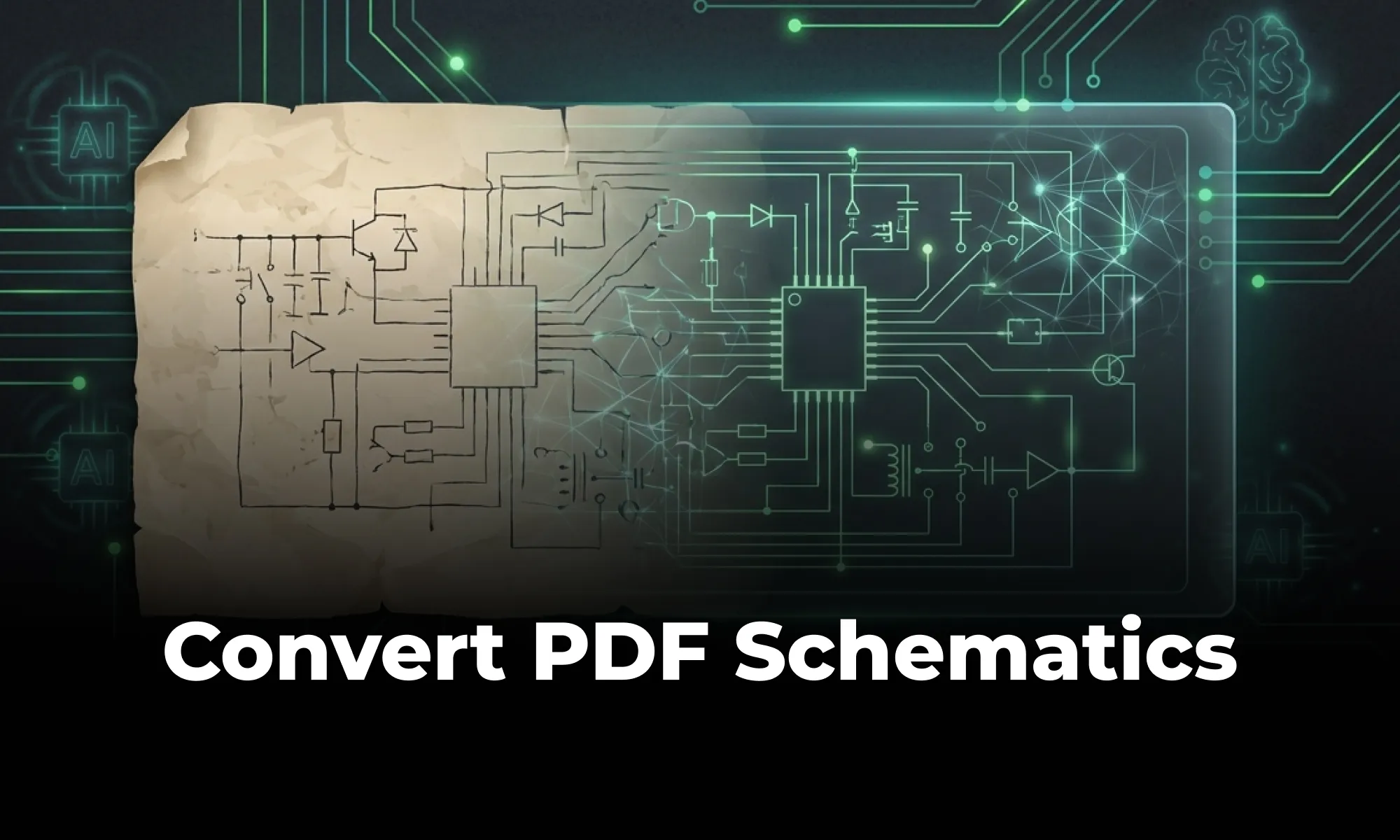
Step-by-step guide to converting flat PDF schematics into editable PCB/EDA files using an AI-assisted schematic conversion workflow, with validation and export considerations for KiCad and Altium.

Learn how to place and select decoupling capacitors to improve power integrity in PCB design.

Learn the core rules of differential pair routing including parallel routing, consistent spacing, length matching, and return path management for high-speed PCB designs.

A beginner-friendly guide to electronic circuit design, walking through schematics, key components, the schematic-to-PCB workflow, and how modern collaborative tools speed up hardware development.

A practical guide to reducing EMI in PCB design through grounding, return path control, shielding, and layout best practices. Covers EMC compliance with CISPR 32 and FCC Part 15.

ERC checks schematic-level electrical issues while DRC checks PCB layout rules -- engineers run ERC before layout and DRC during or after routing.

A guide to flexible PCB design, covering materials, stackups, bend radius, and layout best practices for wearables, medical devices, and other compact electronics.

Gerber files are the universal 2D vector format that bridges PCB design and fabrication. This guide covers what each layer file contains, how to export and verify a complete manufacturing package, and the common mistakes that cause production delays.

How hardware teams apply Git-style version control to PCB design — tracking revisions, collaborating safely, and maintaining a complete design history.

A practical guide to high-current PCB design, covering trace width and copper weight, thermal management with vias and copper pours, layout best practices, and common mistakes to avoid in power electronics boards.

The complete hardware design workflow covers requirements, schematic capture, PCB layout, validation, prototyping, and manufacturing.

Whether you're migrating from popular EDA applications or starting fresh, mastering high speed PCB design has never been more intuitive. Flux enables teams to design, simulate, and route with real-time AI assistance, so you can spin your next high-speed board with total confidence.

Hall effect joysticks use magnetic sensors for precise, durable, and contactless control. They outperform traditional joysticks in gaming, robotics, and industry.

A look at how AI is reshaping PCB design by automating routing, placement, and signal integrity checks so engineers can focus on architecture and higher-level decisions.

A practical guide to calculating PCB trace resistance, covering the core formula, how geometry affects resistance, worked examples, and design tips to minimize voltage drop and heat.

A beginner-friendly guide to reading PCB schematics, covering common symbols, nets, and how to follow signal flow through a circuit diagram.

Practical RF layout guide for designing printed PCB trace antennas, covering antenna topology, stackup data, 50 Ω feed lines, solder mask expansion, keepouts, and common copper-placement mistakes.

This blog explores the powerful Arduino map() function, showing you how to scale values, control sensors, and master advanced programming techniques for innovative projects.

Discover how Flux.ai enhanced its web app performance using the open-source tool, log-time-to-next-idle. The blog details how to measure user interactions and pinpoint their completion point for optimal performance. Learn from our experience and apply these strategies to refine your app's user experience.

A practical guide to designing PCBs for IoT devices, covering low-power layout, wireless and RF considerations, and best practices for embedded hardware.

The LM2596 is a versatile voltage regulator used in various buck converters and power supply applications. The blog explores its key components, such as inductors, capacitors, and FETs, and provides insights into its broad voltage capabilities.

The blog post provides an in-depth look at the LM741 pinout diagram, explaining the functions of each pin, including inverting and non-inverting inputs, and comparing the LM741 to the LM324. It also covers various applications of the LM741 as an amplifier and a comparator.

A practical guide to reading BJT and MOSFET schematic symbols, including NPN, PNP, NMOS, and PMOS terminal conventions. Covers common symbol-reading mistakes, body diode variations, and verification steps to prevent PCB design and pin-mapping errors.

Mastering multilayer PCB design is key for complex electronics. Use strategic stackup (Signal-Ground-Power-Signal), perpendicular routing, and solid ground/power planes to ensure signal integrity, reduce EMI, and support high-density components for applications like IoT and robotics.

PCB constraint management defines routing, spacing, impedance, and manufacturing rules and validates them throughout PCB layout.

A guide to managing PCB component libraries, covering symbols, footprints, and 3D models with best practices for standardizing parts across hardware teams.

This blog explains how smart design choices like reducing layer count, using standard materials, and following DFM best practices can significantly cut PCB manufacturing costs without sacrificing quality.

A practical guide to diagnosing and fixing PCB failures, covering common symptoms, a step-by-step debugging workflow, essential tools (multimeter, oscilloscope, logic analyzer, thermal camera), a pre-power-up checklist, and the design mistakes that most often lead to broken boards.

An overview of the electrical, mechanical, and manufacturing constraints that shape PCB design, with the rules and guidelines engineers need to follow.

A checklist for PCB design documentation -- covering the files, drawings, and release data every manufacturing package should include.

Learn PCB design for manufacturability (DFM) guidelines, rules, and common issues to ensure your circuit boards can be reliably produced.

PCB revision management tracks what changed, who changed it, and why -- keeping schematics, layout, BOM, and manufacturing files aligned.

A guide to PCB design reviews, covering schematic, layout, and DFM checks engineers use to catch errors early and ship more reliable boards.

DRC is an automated process that checks your PCB layout against manufacturing and electrical constraints, catching errors like trace spacing and drill sizes before fabrication. Modern tools run this in real-time during design, while older ones batch-check at the end, often producing overwhelming error lists.

Learn the most common causes of PCB EMI issues and proven layout, grounding, shielding, and filtering techniques to pass EMC compliance.

A guide to creating and managing PCB footprint libraries, covering IPC standards, pad sizing, validation workflows, and best practices for reliable land patterns.

A step-by-step guide to designing accurate PCB footprints — covering pads, silkscreen, courtyards, IPC-7351 density levels, origin setup, and common mistakes to avoid.

A practical guide to PCB grounding techniques — ground planes, return paths, star grounding, and analog/digital partitioning — with best practices for reducing noise and improving signal stability.

A practical guide to PCB impedance control, covering why it matters for signal integrity, the four physical variables that shape trace impedance, and how to enforce impedance targets from stackup planning through routing and fabrication.

A practical guide to PCB library management -- how hardware teams standardize components, centralize libraries, and scale collaborative design workflows.

A guide to choosing PCB materials, comparing standard FR4 with advanced substrates like Rogers, PTFE, polyimide, and ceramics, and explaining how dielectric, thermal, and mechanical properties affect performance.

An engineer-friendly explainer of PCB netlists -- what they contain, how they are generated, and how they connect schematic capture to PCB layout.

Learn the best PCB routing techniques for clean circuit board layouts, including trace routing tips, differential pair routing, and layout best practices.

A practical guide to when hardware teams should use low-volume PCB prototyping to validate a design versus full-scale fabrication to scale production, and how to transition between the two without costly mistakes.

A practical guide to PCB panelization methods like V-scoring and tab routing, with best practices to improve manufacturing efficiency and reduce production costs.

An overview of PCB reverse engineering, explaining how engineers analyze boards, extract schematics, and use the process for legacy support, repair, and design analysis.

A practical guide to PCB silkscreen design, covering labeling best practices, common readability mistakes, and how clean silkscreens improve assembly and debugging.

A guide to PCB schematic best practices, covering organization, symbols, labeling, and readability tips for clean, maintainable circuit diagrams.

A practical guide to designing multilayer PCB stackups for signal integrity, EMI control, and stable power delivery. Covers layer types, controlled impedance, common mistakes, and how modern tools simplify the process.

PCB symbol design directly impacts how fast a team can interpret a circuit, spot errors, and generate an accurate netlist.

An explainer on PCB version control, comparing hardware revision workflows to Git-style collaboration and showing how modern teams track design changes.

Learn the most common PCB testing methods including flying probe and in-circuit testing to ensure reliability.

Learn how to manage heat in PCB design with thermal vias, copper pours, layout strategies, and cooling techniques to improve reliability.

Learn how to design a robust PCB Power Distribution Network (PDN) with target impedance, decoupling strategy, and layout techniques that keep voltage rails stable from DC to GHz.

A pi filter is a three-element passive CLC network that provides stronger ripple and EMI suppression than a single capacitor. This guide covers topology selection, component derating, resonance damping, and PCB layout best practices.

A practical guide to the four main PCB via types — through-hole, blind, buried, and microvia — covering how each is fabricated, their cost and signal-integrity trade-offs, and when to use them based on layer count, BGA pitch, and routing density.

Electronics, whether in a phone or an industrial motor, face potential threats from unchecked electrical currents. Our guide introduces protection circuits, the essential safeguards that monitor and respond to such electrical anomalies.

Explains how RC low-pass filters attenuate high-frequency signals using a resistor and capacitor, with the cutoff frequency formula, component selection trade-offs, and PCB layout best practices.

Real-time PCB collaboration allows multiple engineers to review, edit, and manage PCB designs in a shared environment, reducing version confusion and speeding reviews.

Learn the benefits, challenges, and layout best practices for rigid-flex PCB design, including stackup choices, bend zones, and via placement rules.

RJ45 connectors enable fast data and power transmission in Ethernet networks. They're vital for reliable connectivity in homes, offices, and data centers.

Common schematic design mistakes include unclear labeling, missing power connections, inconsistent symbols, unconnected pins, poor organization, and skipping ERC.

An introduction to schematic capture, explaining how engineers use symbols, nets, and connectivity to create circuit diagrams that drive PCB layout.
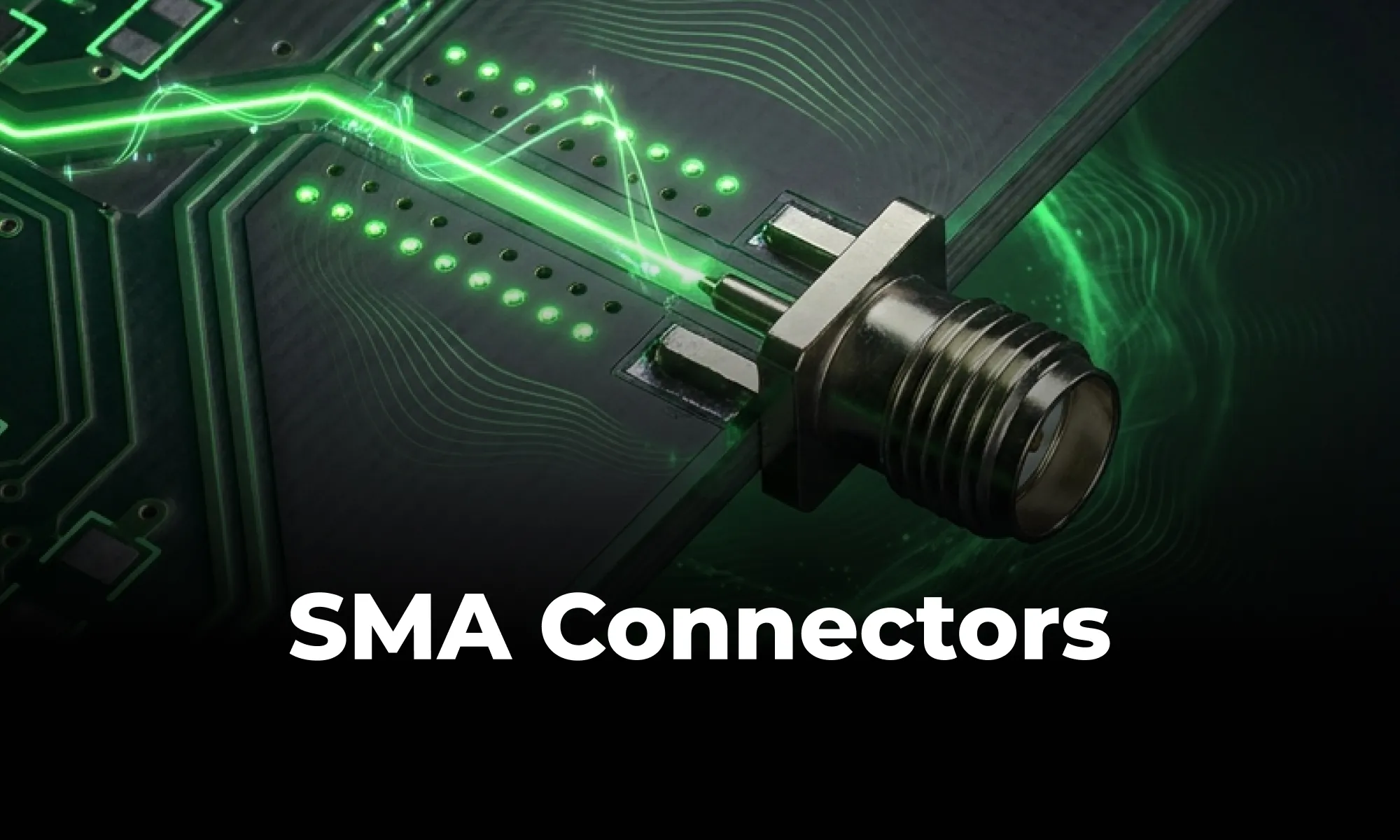
An overview of SMA connectors, including SMA vs. RP-SMA differences, common mounting styles, selection criteria, and PCB footprint/layout best practices. Covers key design considerations for RF launches, grounding, controlled impedance, and avoiding common assembly mistakes.

The SNES controller revolutionized gaming with its ergonomic shape, responsive buttons, and innovative shoulder controls. Its design set the standard for modern controllers. Even today, it remains a blueprint for comfort and precision in input devices.

A beginner-friendly comparison of SMT and through-hole PCB assembly, covering their differences, trade-offs, and when to use each method.

A comprehensive guide to using solder flux in electronics soldering. Soldering flux is used to clean and prepare the surfaces of the components that need to be joined. It helps to remove oxidation and other contaminants that can prevent a strong bond from forming. Flux also reduces surface tension, allowing the solder to flow more easily and improves the wetting of the components.

Tantalum capacitors offer high capacitance density in a tiny footprint but demand strict polarity and voltage derating. This guide explains how they compare to ceramics and aluminum electrolytics, common failure risks, and how to select and place them safely.

This guide explores toggle switches, their types, and applications in electronics. Learn how they work and find the right one for your project.

Managing inductive loads in electronics can pose challenges due to voltage spikes. The flyback diode serves as a protective component, preventing damage to delicate parts like transistors. This article dives deep into its functionality, types, and real-world applications.

The blog delves into the essentials of MOSFETs, a cornerstone in electrical engineering, highlighting their voltage-controlled nature and efficiency. It contrasts MOSFETs with BJTs and JFETs and explains pivotal parameters like Vgs and Vd. Their low power consumption, versatility, and role in modern electronics are underscored."

A practical guide to via stitching in PCB design -- what it is, why it improves EMI, signal integrity, and thermal performance, and where to place stitching vias. Includes spacing rules (like lambda/20), design guidelines, common mistakes to avoid, and how Flux can automate stitching via placement.

Voltage regulators ensure stable power in electronics. This post covers types, uses, and selection tips—plus how AI tools like Flux.ai streamline design.

The blog post dives into the technical aspects of Multilayer Ceramic Capacitors (MLCCs), highlighting their importance in electronic circuits. It explains the construction of MLCCs, where layers of ceramic material and metal electrodes create a multilayered structure to store electrical energy.

The blog is an educational resource on netlists, detailing their role as intermediaries between circuit schematics and physical layouts. Special attention is given to different types of netlists, such as FPGA and RTL. It outlines the crucial role of accurate netlists in hardware functionality and discusses the various formats used in the design process.

The blog offers an in-depth look at Zener diodes, highlighting their crucial role in voltage regulation and stability in electronic circuits. It covers their basic principles, applications, and the challenges faced in their usage.

Covers how reflow ovens solder SMT components through preheat, soak, reflow, and cooling stages, with common defects and how PCB layout decisions impact manufacturing yield.

Oscillators are electronic circuits producing oscillating signals without an input. Types include sine, square, sawtooth, triangular, and pulse wave oscillators. Crystal oscillators use vibrating crystals for precise frequencies, crucial in clocks and radios. RF oscillators operate at radio frequencies, essential in broadcasting and telecoms.

AC to DC converters transform wall power into the stable DC voltage electronics need. They work by rectifying AC, filtering ripples, and regulating output. These converters power everything from phones to server racks and are evolving with efficient, compact technologies.

Whether you are exploring “What is a PCB?” for the first time or moving into advanced hardware engineering, modern tools make the process easier than ever. With Flux's AI-assisted platform, you can skip the steep learning curve of popular ECAD applications and design collaboratively directly in your browser. Once your board is routed and ready for fabrication, Flux's built-in supply chain features connect you directly with worldwide distributors to source parts instantly. Sign up for free today and start building!

PCBA turns a bare PCB into a functional circuit by mounting and soldering components. This guide breaks down the assembly workflow, SMT vs through-hole methods, required manufacturing files, and common defects to avoid.

Explains what solder mask is, how PCB mask openings, clearances, expansion, dams, materials, colors, and via coverage affect PCB fabrication and assembly quality.

Think you're familiar with the push button and its symbol? Prepare to be surprised! Join us in our latest blog post where we unravel the intricate science behind every press, click, and circuit, revealing the complexities hidden in the simplicity of a push button switch.

We’re launching our Stackup Editor: a new and improved way to select your PCB stackup that requires less time, less effort, and is less prone to errors. This is another massive step towards creating a single place where designers can collaborate with each other and the industry as a whole.

Learn the most common PCB design mistakes and how to avoid them. Improve your circuit board layout with practical routing, placement, and design best practices.

Learn how PCBs are manufactured, from fabrication to assembly. A step-by-step guide to the circuit board production process.

Learn what signal integrity is in PCB design, common issues like crosstalk and impedance mismatch, and best practices for improving high-speed circuit performance.
No results found


