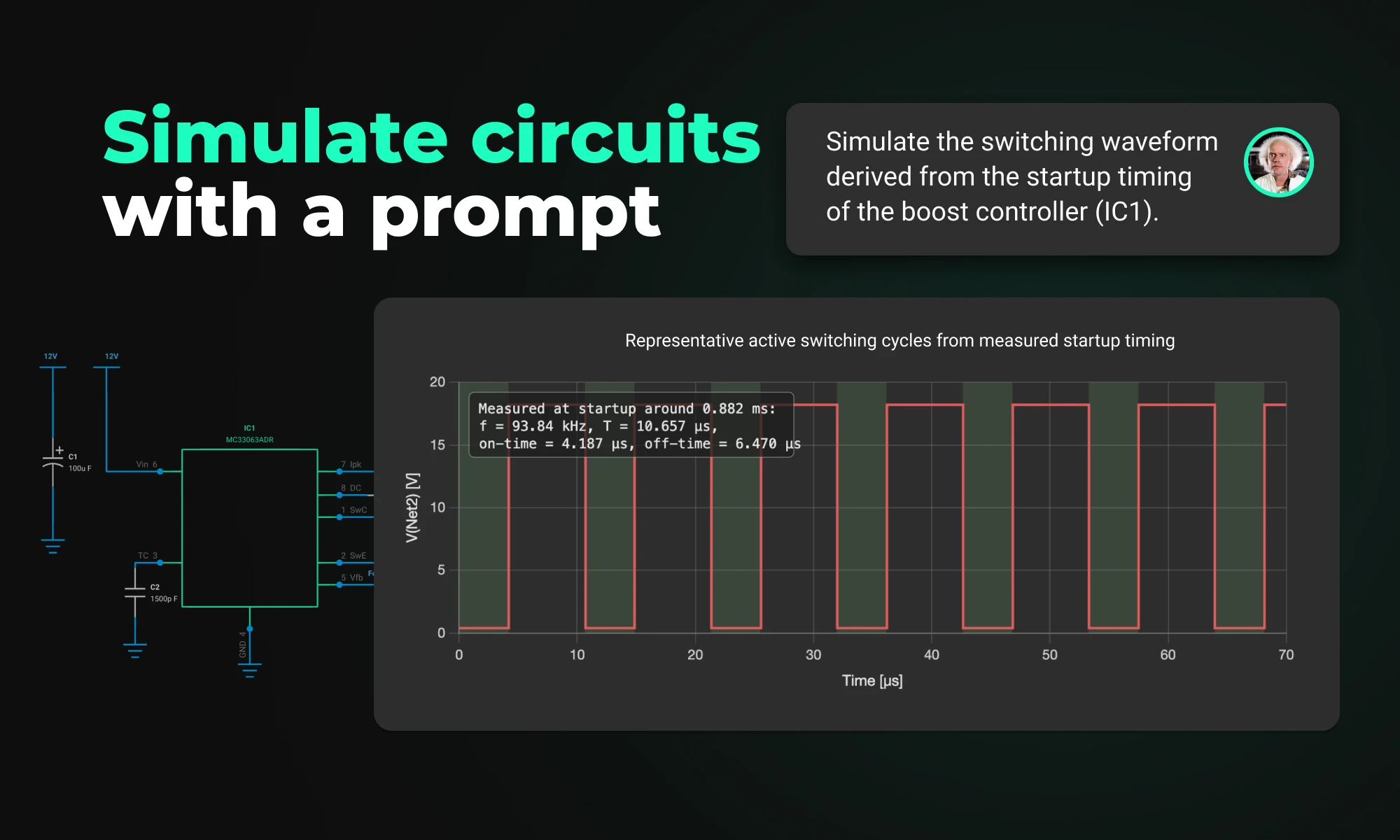
Flux brings circuit simulation to wherever you are in the design process. Start from a prompt when you have no schematic, or let Flux analyze your existing design automatically.
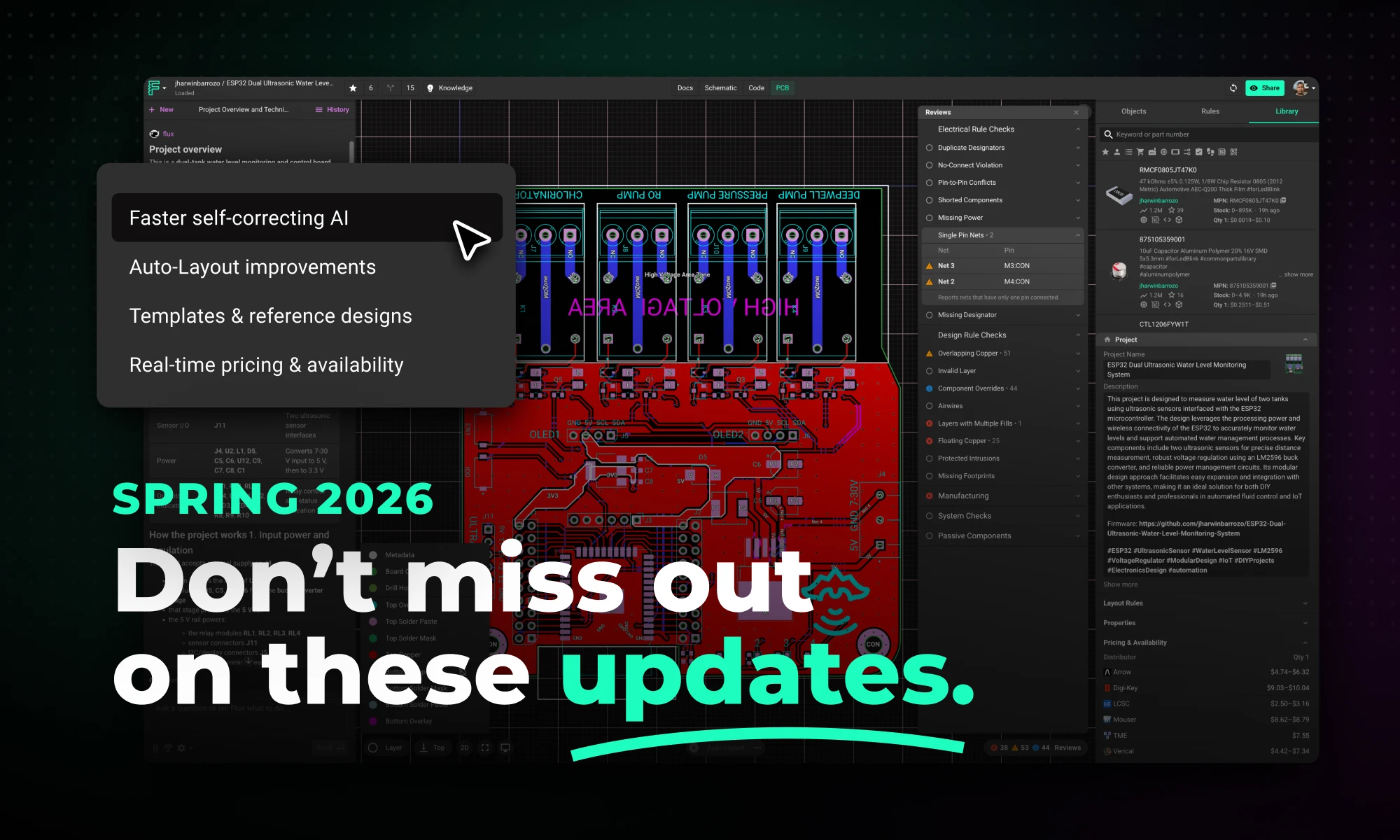
This Spring 2026 updates make hardware design faster end-to-end with a more capable, self-correcting AI agent, improved AI auto-layout that needs less cleanup, sourcing-aware design with real-time pricing and availability, and templates to start from.
This spring, we’ve made Flux faster, more capable, and more practical across the full hardware design workflow.
Today, we’re introducing the Spring 2026 Update: a major upgrade to how Flux helps you research parts, build schematics, lay out boards, and design with sourcing in mind.
With these updates, we bring together a faster, more self-correcting AI agent, major improvements to AI Auto-Layout, intern-like multi-step execution, and real-time supply chain visibility built directly into the design workflow. The result is a faster path from idea to board, with less manual busywork and fewer late-stage surprises.
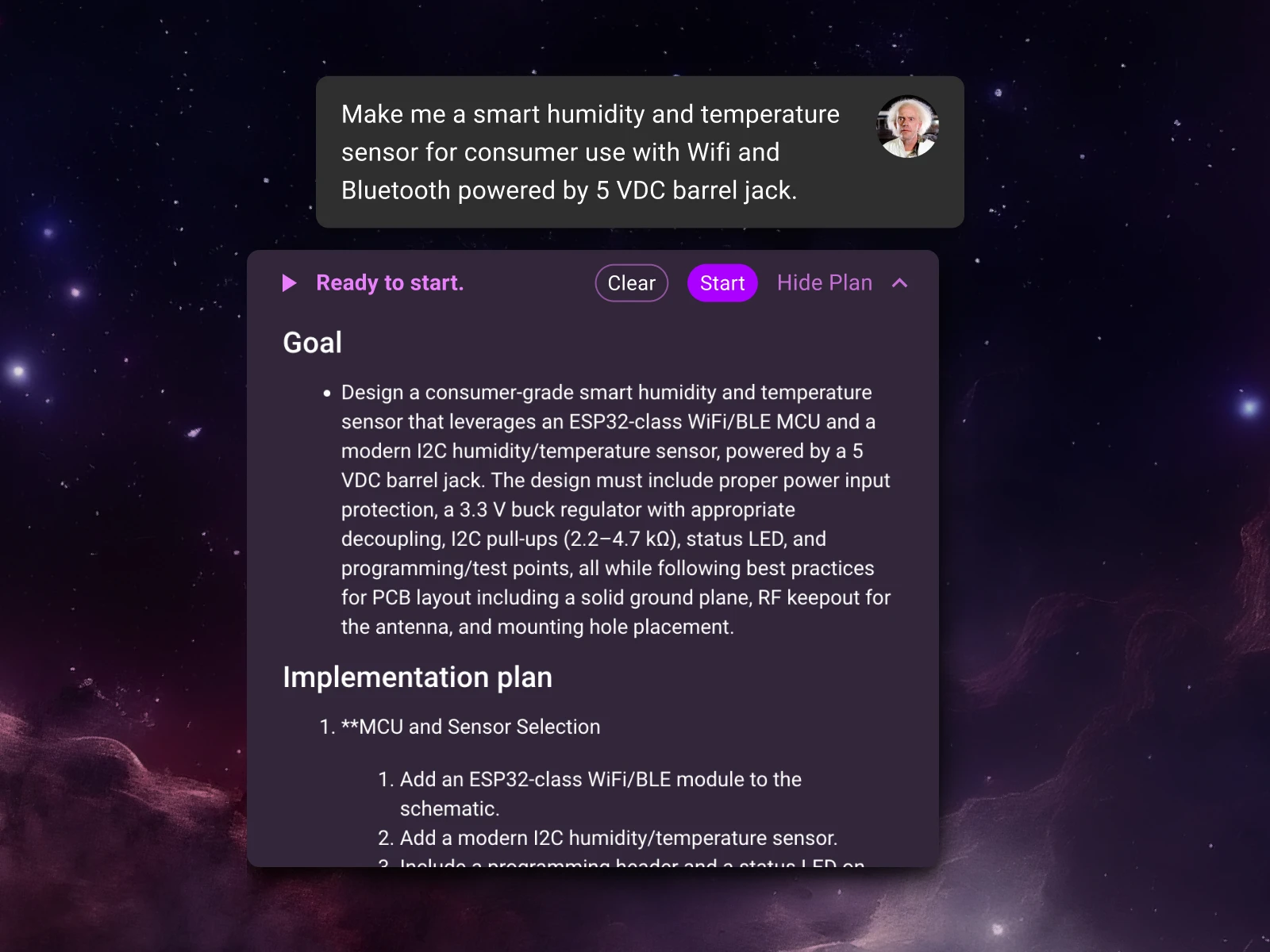
Flux now helps with more of the hardware design workflow end to end, from planning and part research to schematic work, layout, and sourcing-aware decisions.
You can describe what you want to build in terms of goals, constraints, interfaces, power targets, and preferred components, and Flux can turn that into a step-by-step plan spanning parts research, schematic creation, layout, checks, and review milestones. As it works, it shares progress, explains decisions, and checks in at key moments so you can steer the design without micromanaging every step.
That shift matters because hardware work is rarely a single action. Real progress comes from coordinating many decisions across planning, implementation, verification, and iteration. The Spring Update is about making that full workflow feel dramatically more natural inside Flux.
At the core of this update is a major upgrade to how Flux executes design work.
The agent was rebuilt around a new architecture, execution model, and verification system designed to improve three things at once: speed, correctness, and reliability.
One of the biggest changes is that the agent now checks its own work continuously while it operates. Instead of generating a result and leaving validation until the end, it runs ERC and DRC checks as it goes, catching issues like floating pins, missing connections, and rule violations in real time. That means cleaner schematics on the first pass, fewer manual fixes, and fewer wasted iterations.
{{table}}
It’s also more adaptive during execution. Rather than following a fixed plan from start to finish, the agent evaluates progress after each step and adjusts as it works. If it encounters a conflict or finds a better path forward, it updates its approach and continues. In practice, that makes it more effective across both lightweight tasks and more complex multi-step jobs.
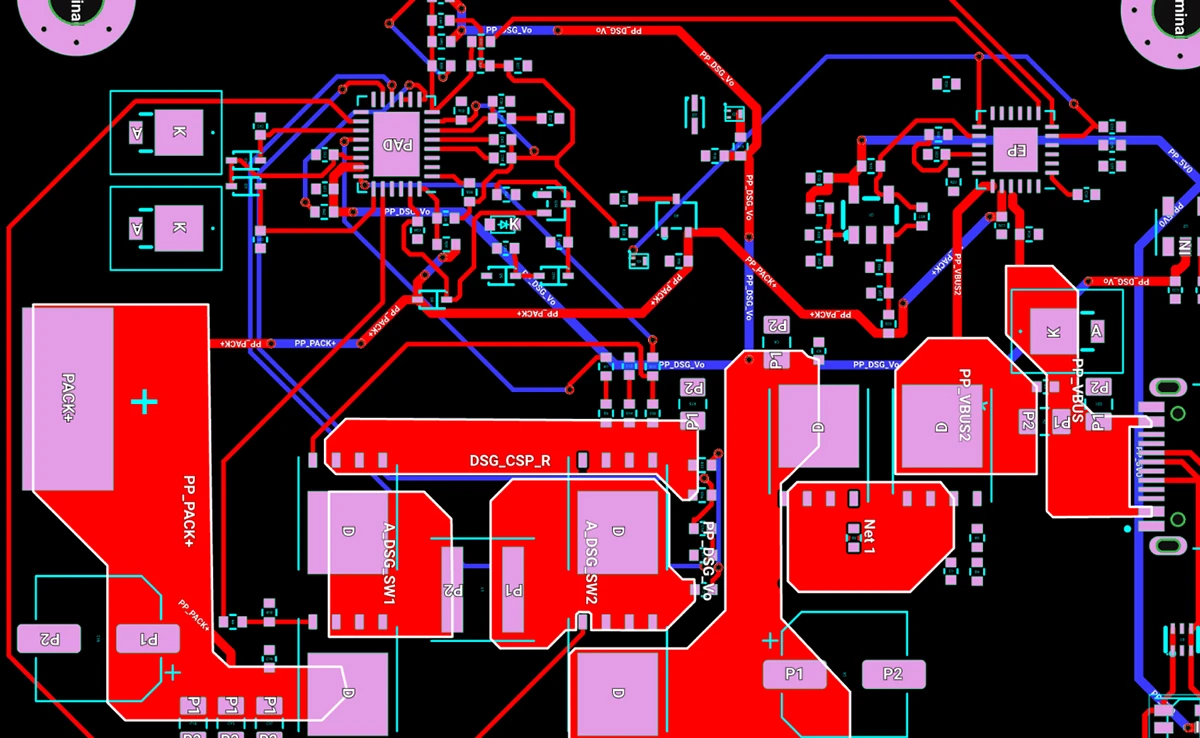
We’ve also continued to improve AI Auto-Layout based on real usage and feedback.
This update focused on making results cleaner, easier to review, and more manufacturable. Routing now converges faster, with shorter traces, fewer vias, and paths that better follow placement intent. Layouts are more legible, and the system more reliably produces results that need less cleanup before handoff.
For many teams, that is exactly the right division of labor: human judgment on what matters most, AI speed on the busywork in between.
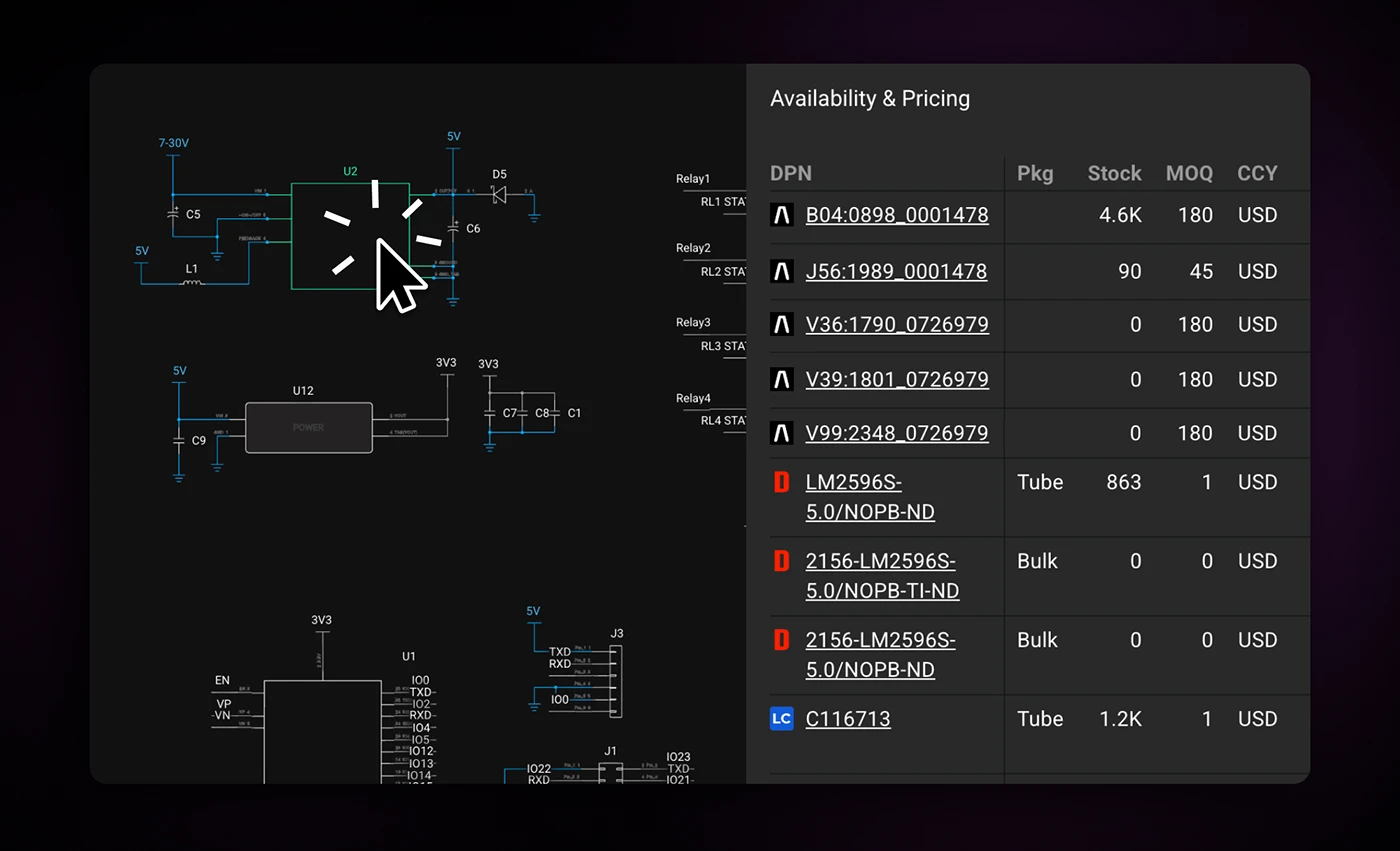
Good hardware design depends not just on performance, but on choosing parts that are actually available.
Most EDA tools still treat sourcing as something you check after the design is already locked. But by then, a BOM change can ripple through the whole project. Flux’s approach is different: pricing and availability stay connected to the project while you work, so supply constraints surface early, when design decisions are still flexible.
With the Spring Updates, that means you can:
This is a meaningful change in workflow. Instead of designing first and negotiating with reality later, you can make sourcing-aware decisions as the design takes shape.
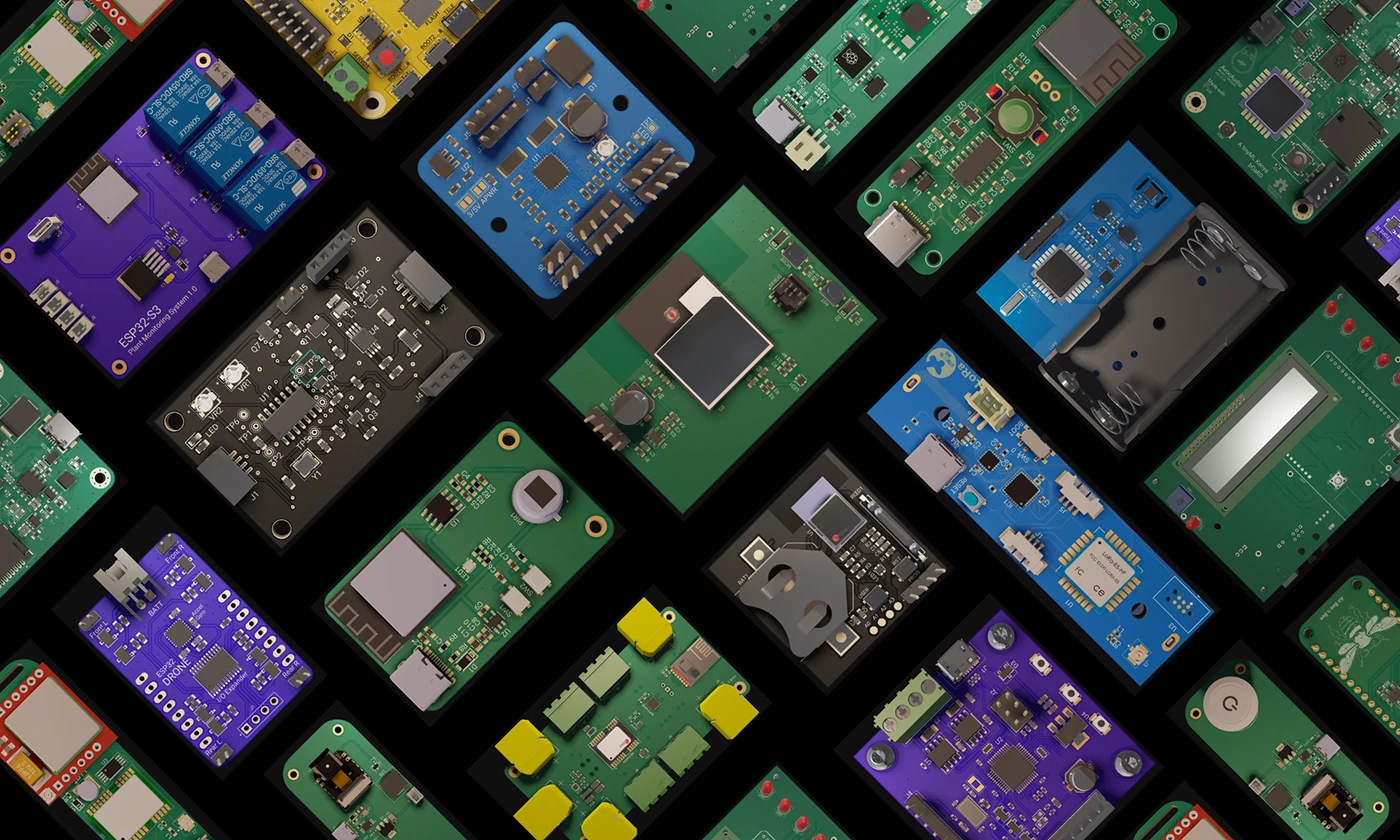
Every hardware engineer has rebuilt the same circuits dozens of times. Voltage regulators, programming headers, decoupling networks, reference designs for common microcontrollers.
Flux now makes it possible to start from reusable design foundations instead. Engineers can fork reference designs, microcontroller platforms, and manufacturer rule templates, then adapt them for their specific application. Teams can also build internal templates that encode their own design standards, compressing the gap between a new idea and a working architecture.
This is the last of the five updates, and the most foundational in terms of workflow change, not because the technology is the most complex, but because it reframes where design work actually begins.
Together, these improvements make Flux more useful at every stage of hardware design.
If you’ve used Flux before, now is a good time to run a workflow you already know well and feel the difference for yourself.
{{try-it-in-flux-today}}
Flux is like a reusable starting-point library for hardware design. Browse templates and public projects, fork one that matches your use case, then modify and expand it as your design evolves.
Here's how to take advantage of it.
Here's a quick reference for discovering content:
#reference-design, #template, or #manufacturer-design-rules to browse curated categories.This is one of the biggest time-savers we see. Many users search for a microcontroller, like an ESP32 or an ATmega328P, and drop the bare chip into a blank project. Then they spend either the next hour wiring up peripherals manually or ask AI to add the crystal, decoupling caps, voltage regulator, USB-to-serial bridge, and boot circuitry that every design needs.
A smarter move: start with a reference design that already has all of that done.
The most popular reference designs on Flux right now are:
{{reference-design-table}}
ESP32 is far and away the most searched term on Flux. If you're building with an ESP32, starting from the ESP32-WROOM-32E Reference Design or the ESP32-S3 Reference Design will save you significant setup time.
Use the search bar at the top of Flux and search for your microcontroller name, or try the tag #reference-design to browse all reference designs in the library.
You can also select a reference design directly from the template picker when you create a new project.
Once you've cloned a reference design, you can modify it for your needs with Flux, just tell it what you want to add or change, and it'll update the schematic for you.
If you already know which fabrication house you're going to use, start with a manufacturer template. These come pre-configured with the correct design rules (trace widths, via sizes, clearances) for that specific manufacturer, so you don't have to manually configure them, and you won't get hit with DRC violations right before you export.
The most popular manufacturer templates on Flux:
{{manufacturer-template-table}}
Search for #manufacturer-design-rules in Flux, or select a manufacturer template from the new project dialog.
Some of the most-used content on Flux is fully built example projects that teach you how to use specific features. These projects have been cloned and forked tens of thousands of times because they let you learn hands-on.
The most popular projects:
{{example-project-table}}
Open any of these, click Fork, and you'll have your own editable copy in seconds.
The reference designs and templates in this post exist because someone published their work. If you've built something reusable, a template with manufacturing spec rules, and a clean reference design, publish it. The next person searching for your exact use case will find it.
{{link-to-featured-projects}}
Today we’re excited to share that Flux has raised $37M in new funding led by 8VC, with participation from Bain Capital Ventures, Liquid 2 Ventures, and Outsiders Fund, alongside Lenny Rachitsky, John Lilly, and Tom Preston-Werner and many other world-class operators.
We raised this capital for one reason: to accelerate our mission to take the hard out of hardware and keep pushing until building hardware feels as easy and iterative as building software.
We started Flux with a simple belief: hardware design should move faster, feel more collaborative, and fit the way modern teams actually work. We were also excited about what AI could unlock for hardware as early as 2019, back when that was not the obvious bet. Looking back, we were very early, frankly too early, and only a few of the use cases we envisioned were really possible at the time, at least not reliably and not at the scale serious teams need.
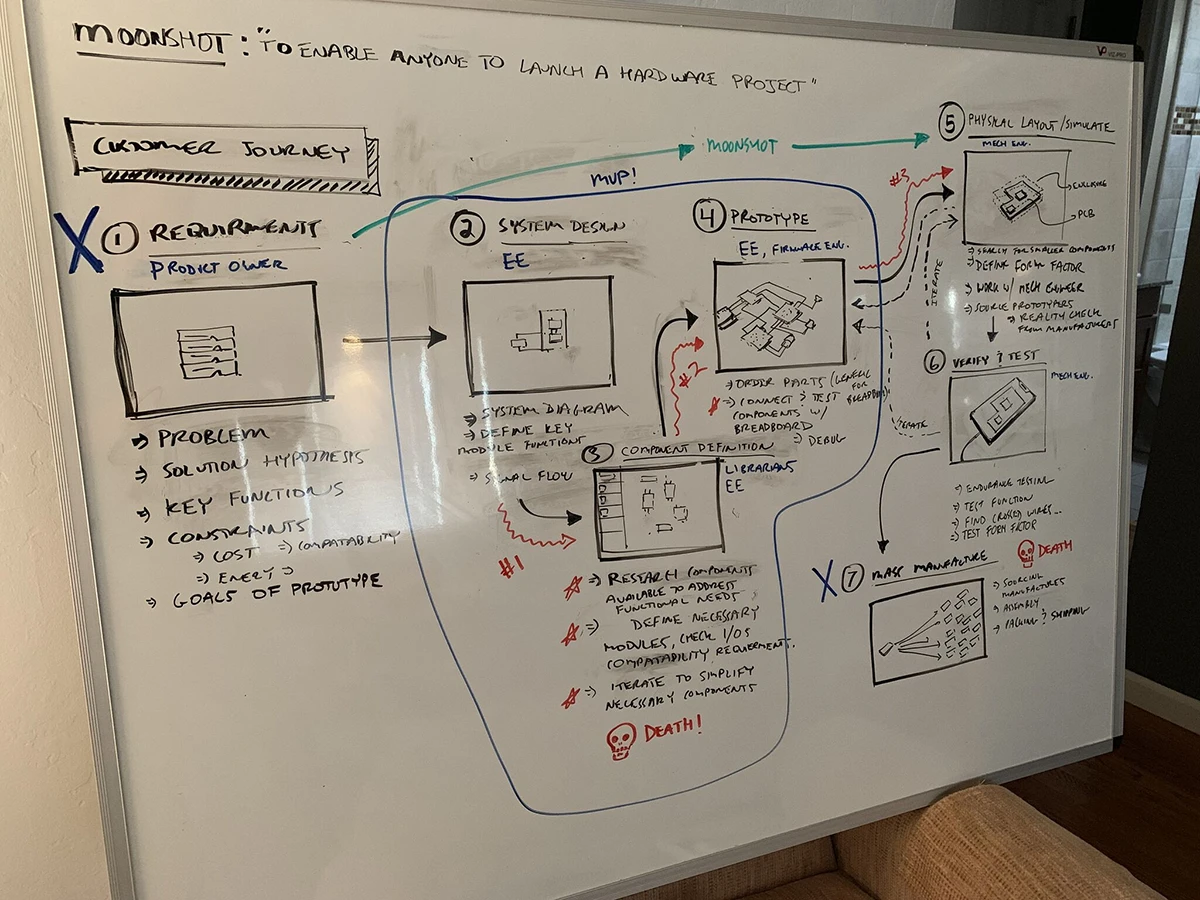
Looking back, we’re glad we started early. It gave us time to lay the foundation and build Flux to be AI-first before it was the obvious move. When LLMs hit their stride, we were ready to plug them in quickly and learn by shipping. We listened closely, fixed sharp edges, hardened the platform, and iterated until Flux started to feel like the tool we always wanted to use.
If you stuck with us and kept sending feedback, thank you. That feedback is a big part of why the product is meaningfully better today. To date, 1,099,361 builders have used Flux to create 6,425,482 projects, and this raise gives us the resources to move faster and to help more builders move through the hardware workflow with less friction.
This funding lets us move faster on the parts of Flux that matter most for serious work. Here are the three areas we’re investing in with this additional funding, and what it means for you.
You can already direct Flux with prompts and have it execute multi-step workflows. With this funding we are making it faster, more capable, and more reliable, and we are also making it easier to use so you can get more done with fewer steps.
Trust is everything, so we are making the agent more predictable and clearer about when it is uncertain. You should know when to trust it, when to verify, and when to step in. You steer, Flux executes, and you stay in control.
We are investing in the core platform so you can design complex boards with confidence. That means better performance at scale, fewer frustrations, and output you can trust when it is time to build.
The AI uses the same editor you do, so every platform upgrade also upgrades what the agent can do.
Hardware is a team effort, and the tooling needs to fit into existing workflows. We are already connected with many popular distributors, and we are doubling down on building a robust parts library grounded in real availability and real workflows.
As integrations mature, we’ll keep expanding what Flux can connect to, including manufacturers, simulators, and the tools your team relies on. We’ll follow demand.
None of this exists without you.
If you’ve given us feedback, pointed out sharp edges, shared projects, or stuck with Flux while we earned the right to be part of your workflow, thank you. If you want something improved, whether that is agent behavior, eCAD capabilities, or ecosystem connections, tell us. We read it all and it directly shapes what we prioritize.
We are going to keep shipping.
Thank you for being here.
Lance, Matthias and the Flux team
Flux's AI agent is now up to 10x faster and self-corrects in real time, delivering cleaner schematics with less waiting and fewer wasted credits.
That usage showed us exactly where to focus: speed, correctness, and reliability. So we rebuilt the agent from the ground up with a new architecture, execution model, and verification system.
Login to try the updated agent today! Here's what changed.
The agent now does a better job checking its own work as it goes by, continuously running ERC and DRC checks against the design, catching floating pins, missing connections, and rule violations in real time. The result: cleaner schematics on the first run, fewer manual fixes, and fewer wasted credits.
The agent no longer follows a fixed plan from start to finish. It evaluates progress after each step and course-corrects along the way. If it hits a conflict or finds a better path, it updates its plan and keeps going.
Ask it to drop in a single component, and it stays lean and fast. Give it a full power management system, and it will work through the complexity iteratively until the design passes its checks. That means more complete, more correct results across a wider range of tasks.
All of this happens in parallel. The new agent places components, routes connections, and verifies results at the same time, collapsing what used to be a long sequential pipeline into a fraction of the time.
Complex jobs that previously took 30+ minutes now finish in under 5. You spend less time waiting and more time iterating on your design. Faster completion and fewer retries also mean your credits go further. And we've done all of this without raising prices.
We ran the same prompts on the old and new agents. The results speak for themselves.
{{table}}
Speed varies by complexity. Simple tasks like adding a component finish quickly. Larger operations like generating a full power management system take longer, but are still dramatically faster than before.
We also shipped several improvements alongside the new agent, all focused on the same goal: helping you build hardware faster.
This release focused on speed and correctness, but we're not stopping here. Up next: even better verification loops, more tools for organizing complex projects, continued schematic legibility improvements, and further Auto-Layout upgrades. Lots more to come.
Log in and run a prompt you've tried before. You'll feel the difference immediately.
{{login-to-flux}}
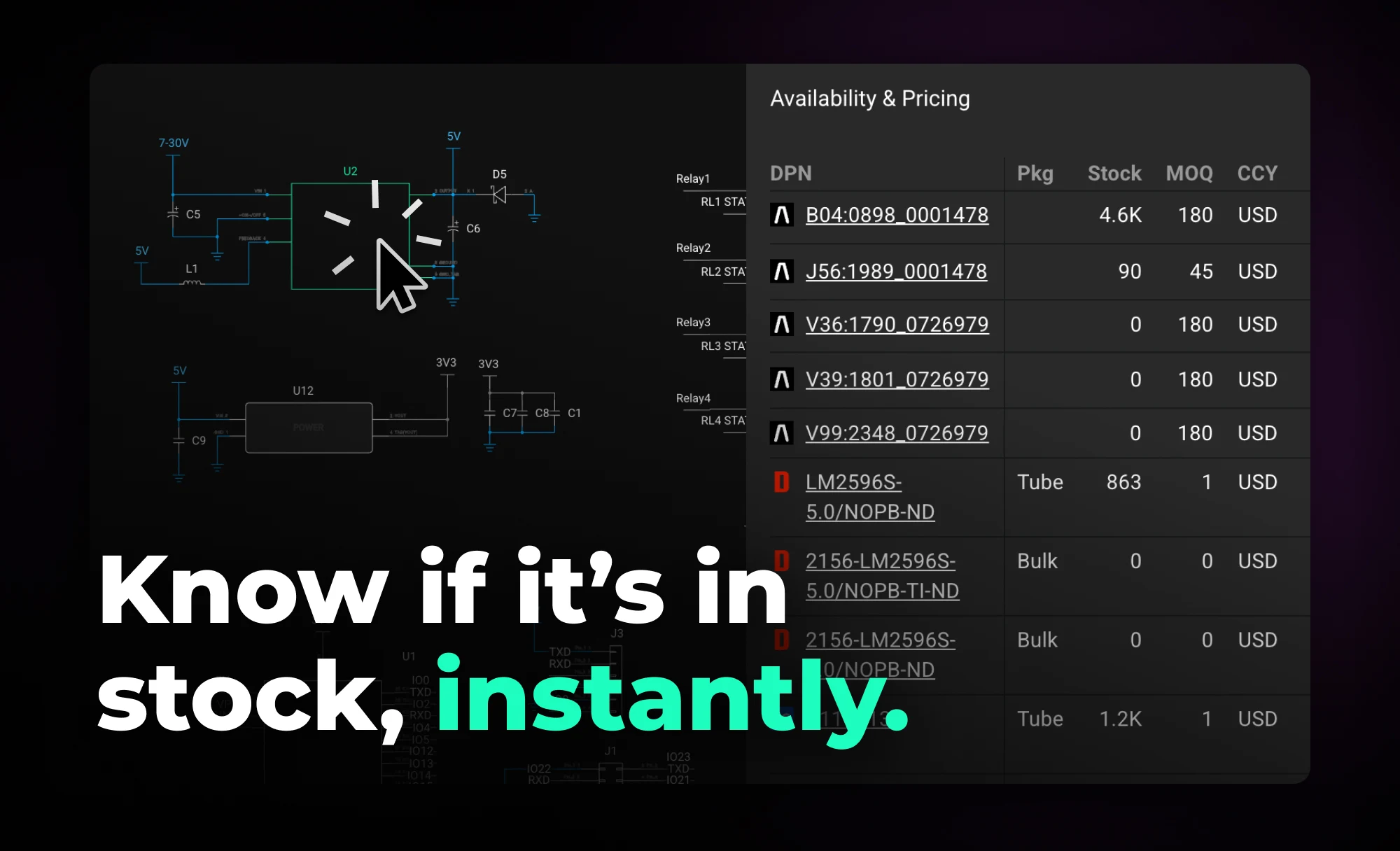
Flux helps you design with live pricing and stock data, using AI to find in-stock parts and fast replacements before your BOM breaks.
Flux takes a different approach. Instead of treating pricing and availability as a post-design concern, Flux keeps live supply data connected to your project as you work. Your project becomes a living document that stays aligned with the supply chain, surfacing constraints early—when decisions are still flexible and changes are cheap.
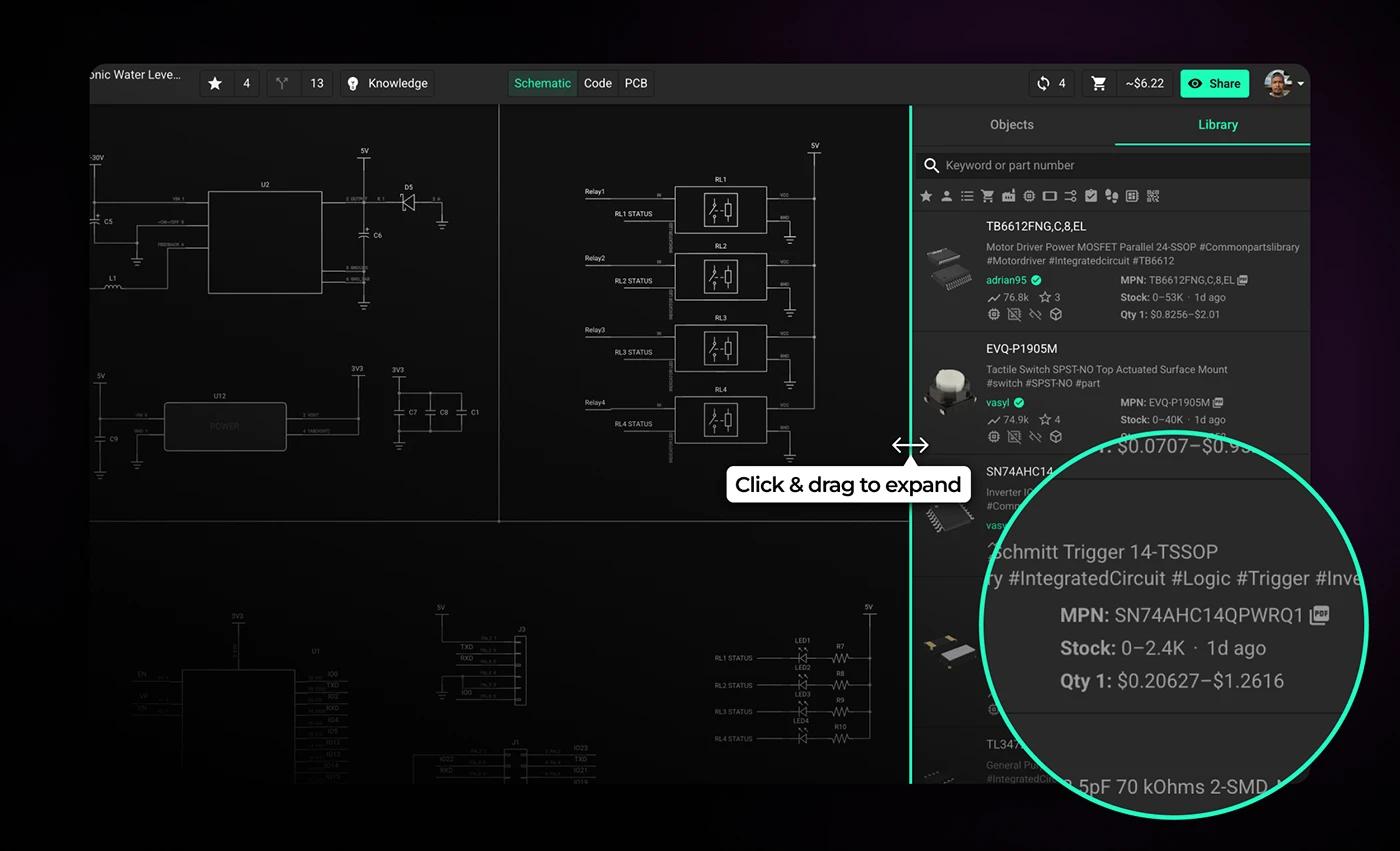
When you browse and select parts in the part library, Flux shows pricing and availability so you can spot sourcing constraints early. The Part Library panel is collapsed by default—expand it to see full pricing and availability details. You can also filter by stock status using the cart icon to show only available components.
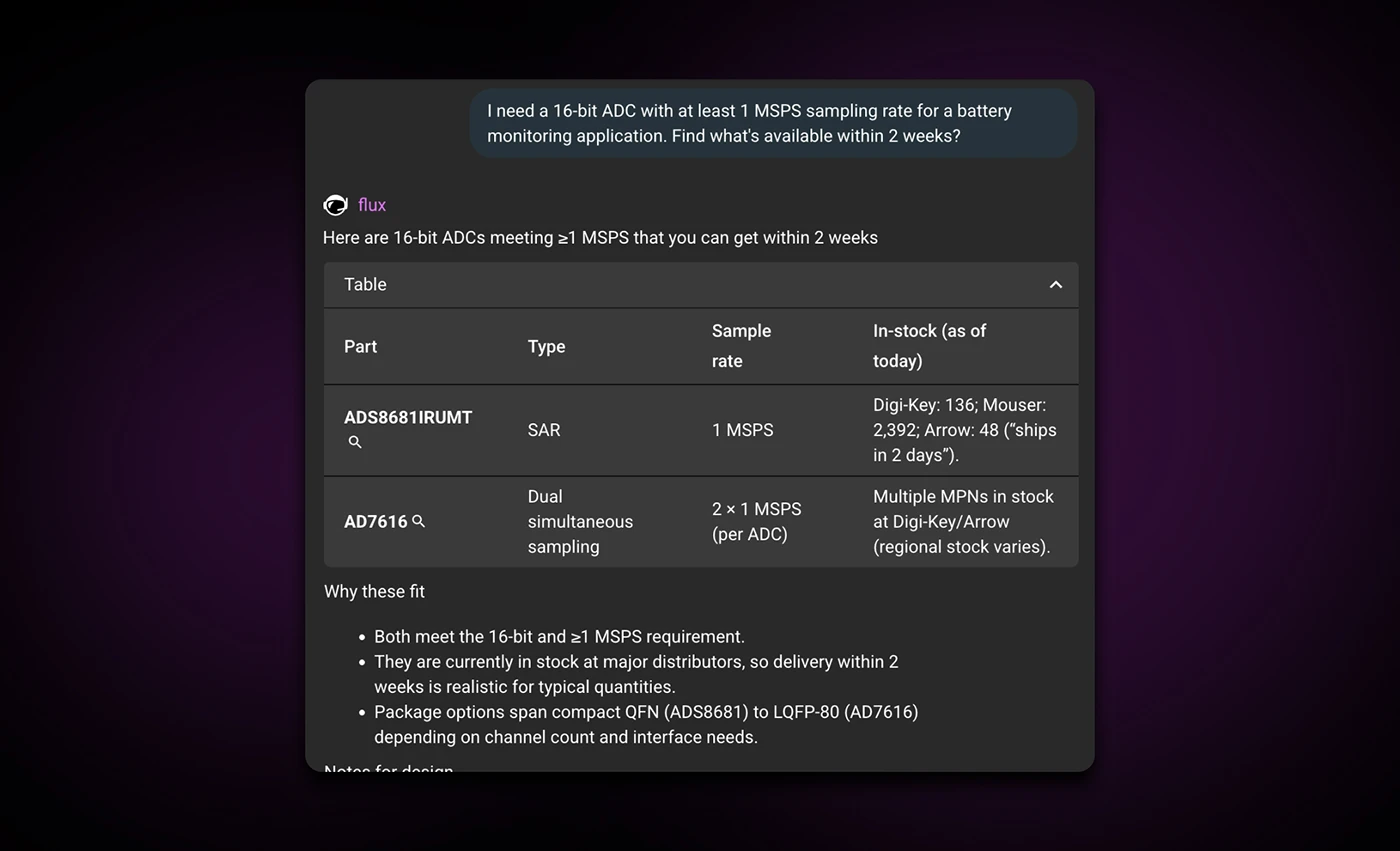
Ask Flux AI to find parts that are in stock—it searches real-time supply chain data and understands your full project context. Instead of manually checking distributor websites, you get parts from the library that match your requirements and constraints.
Example prompt:
"I need a 16-bit ADC with at least 1 MSPS sampling rate for a battery monitoring application. Find what’s available within 2 weeks?"
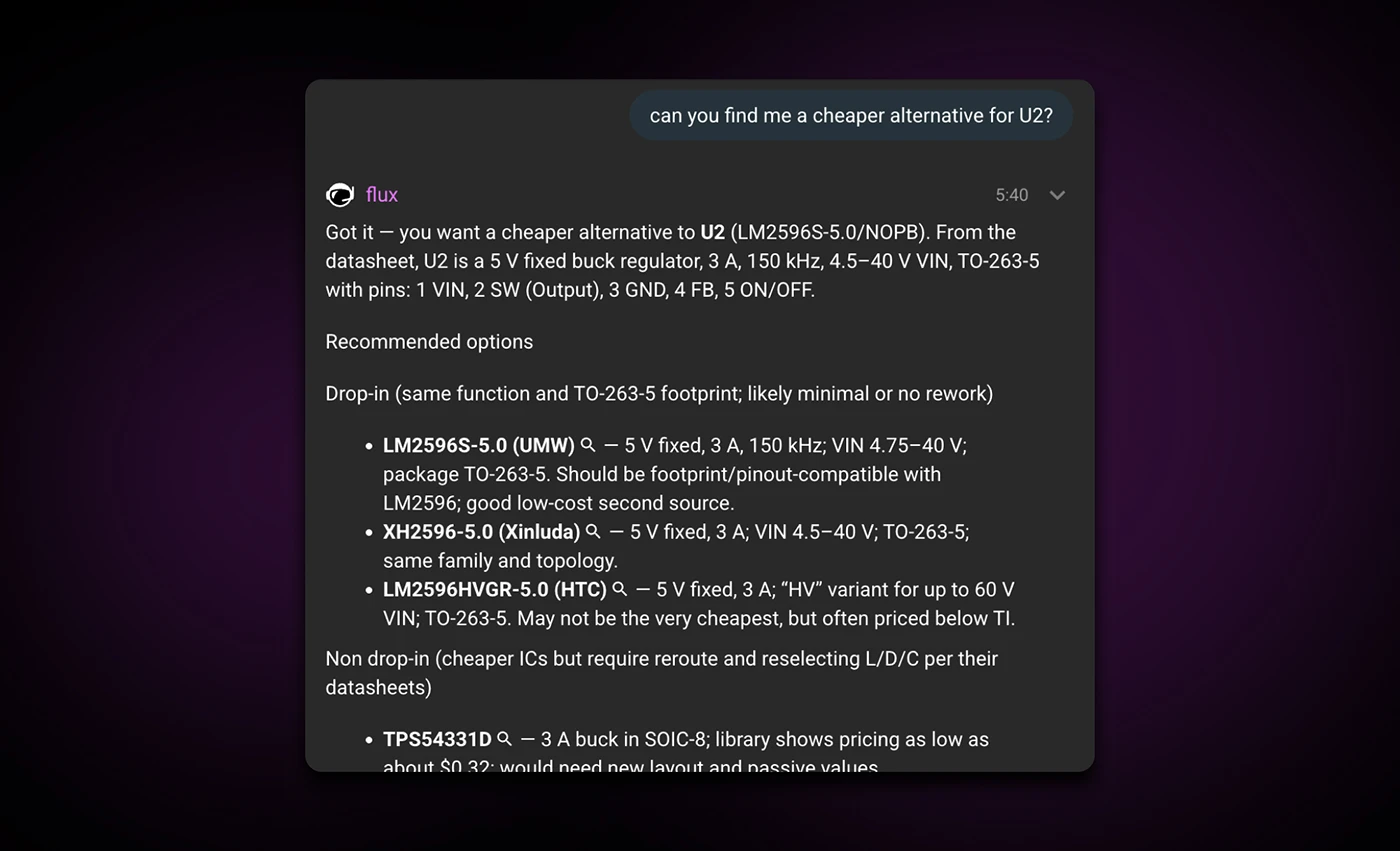
Ask Flux AI to find a replacement that's in stock. It understands your full project context, including what the part connects to, how you're using it, and your design requirements and constraints, and suggests parts with similar packages and specifications.
It prioritizes availability over minor price differences and recommends parts already in the library, so you don't have to build them from scratch. Once you select a replacement, Flux AI can automatically drop it onto the canvas and wire it up for you.
Example prompt:
"Can you find me a cheaper replacement for U2?"
To check availability for a part, click on it in your design to open the inspector panel on the right. Scroll to the bottom, and you'll see real-time stock levels across multiple distributors—Arrow, Mouser, DigiKey, LCSC, Verical, and TME. This gives you a clear picture of whether a part is widely available or at risk of supply chain issues. If the part isn't in Flux's library, the system can search the broader internet to find availability data.
Note: You'll need a manufacturer part number (MPN) defined in the MPN property for generic parts.
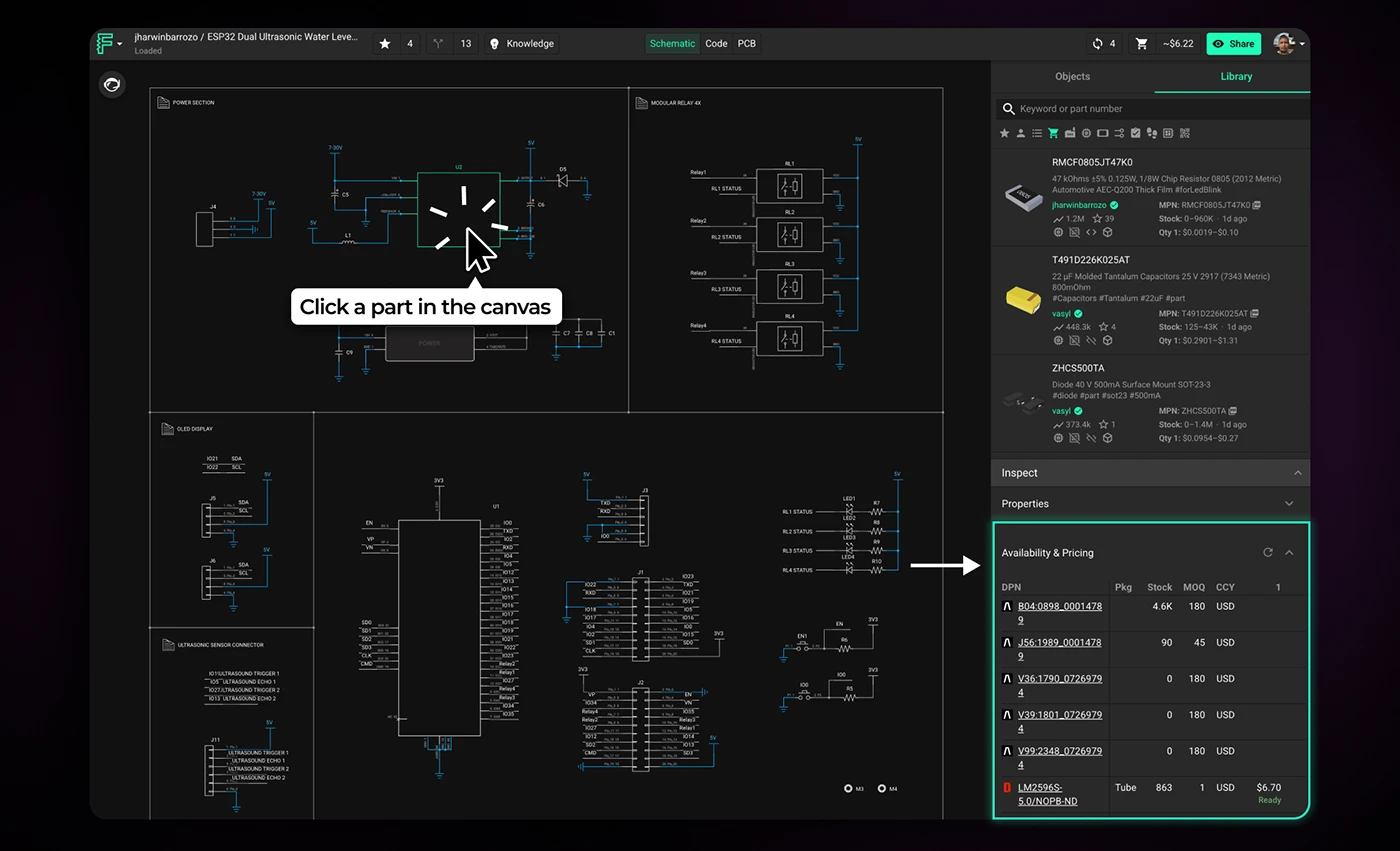
Supply chain constraints don't go away once you've finalized your design—they just become more expensive to fix. The earlier you catch them, the more options you have.
Start treating sourcing as a design constraint, not a procurement problem. Check availability when you select parts. Let Flux AI flag risky components before you commit to a layout. And when something goes out of stock, find alternatives while you still have room to adjust.
The tools are already in your workflow. Use them before the BOM forces your hand.
{{try-it-in-flux}}
AI Auto Layout’s Winter Update delivers cleaner, more human-like routing with faster, more reliable results. It handles most of the routing workload so you can focus on the critical parts of your PCB design.
Thousands of you put it through its paces. You tried it on real boards, found its edges, and told us exactly what would make it more useful in your workflow. Your feedback shaped every improvement in this release.
This update builds on the same vision as the first release. Layout should feel intuitive from setup to review, and AI should handle the repetitive work so you can stay focused on design.
This version of the model is not designed to fully autoroute every class of board without your input. You should still expect to step in for high speed interfaces, tight length matching, unusually thick power nets that land on small pads, and designs with strict layer reservations. The sweet spot today is a workflow where you define the important constraints and critical paths, then let AI Auto Layout finish the remaining 80 percent.
The more context you give AI Auto Layout, the better the results. When rules are realistic, sensitive areas are protected, and critical signals are handled up front, the router can focus on what it does best: finishing the busy work in a way that looks like a human EE’s layout.
If you want to see what a well-prepared setup looks like, check out this ESP32 Espresso Smart Scale project. You can even run AI Auto-Layout to see it perform it’s magic.
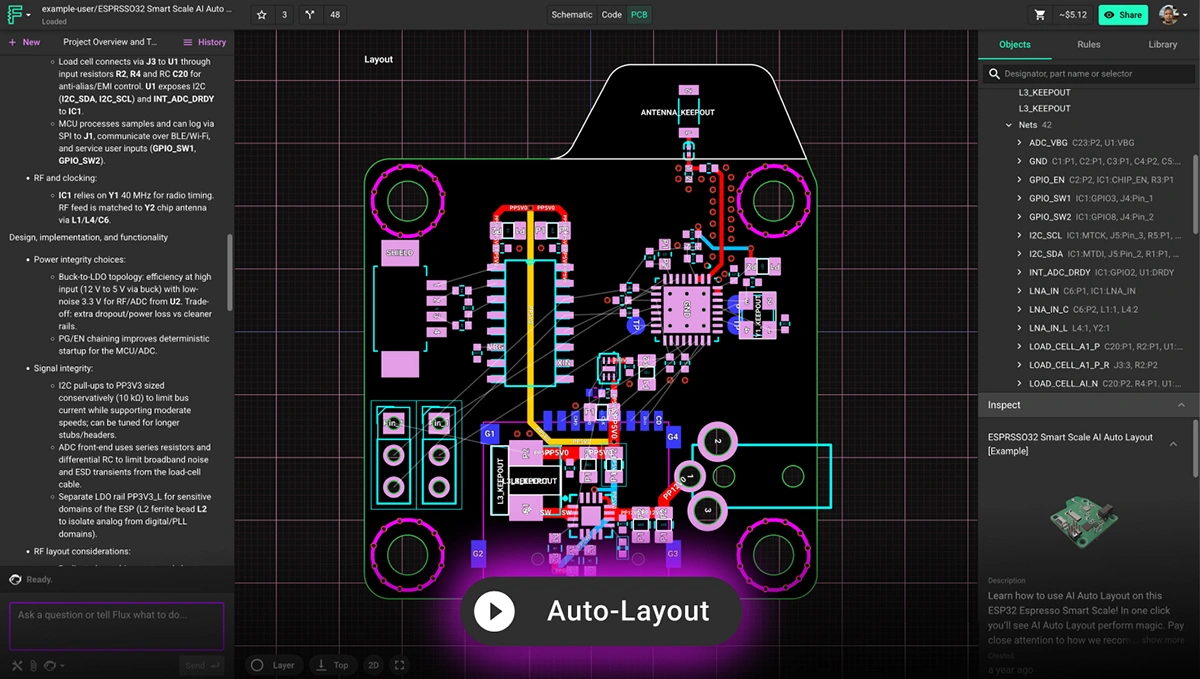
Here is a quick checklist to prepare your board before you run Auto Layout.
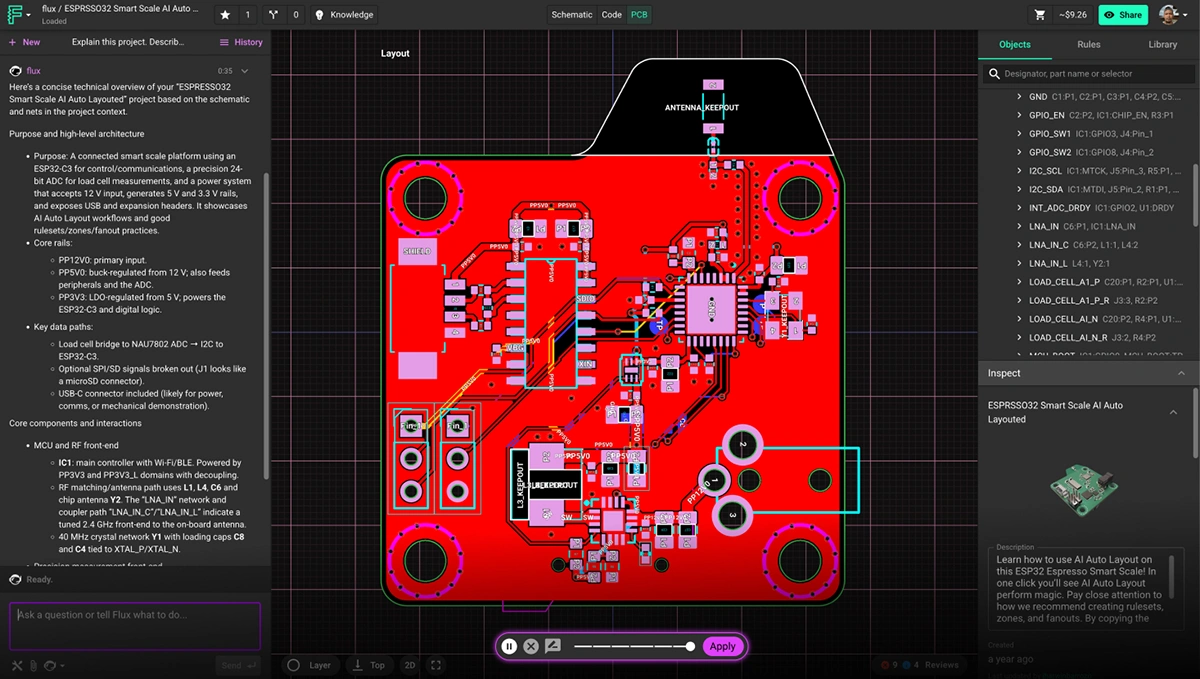
Learn more about how to setup your project by watching this video tutorial or reading the documentation on AI Auto-Layout.
Traditional autorouters treat routing as a geometry puzzle. They chase shortest paths and resolve constraints, but ignore the realities that matter to engineers: manufacturability, signal behavior, and the ability to understand the layout at a glance. The result is familiar. Tangled traces. Excessive vias.
AI Auto Layout approaches the problem differently. It learns patterns that resemble human decision-making and adapts its choices as it routes, which leads to results that feel deliberate, balanced, and easier to work with.
This update sharpens that behavior. The routing is cleaner, straighter, and more aligned with your placement intent. You will see fewer unnecessary layer transitions, more predictable via placement, and stronger power paths. Layouts are easier to review, reason about, and move toward manufacturable results. In many cases, the output looks like a thoughtful first pass from an experienced engineer.
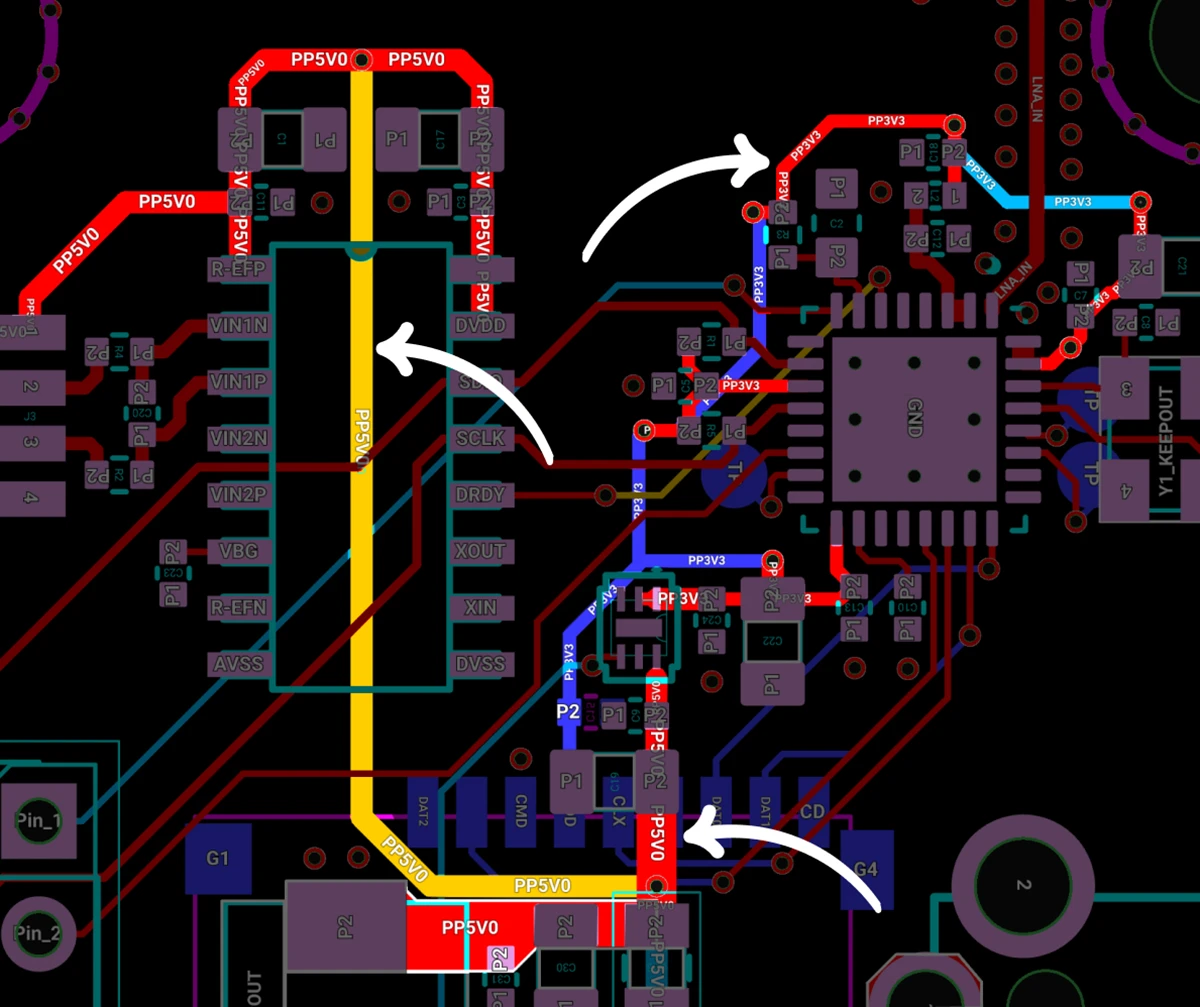
Clean Power Distribution: Auto-Layout routed the 5V0 and 3V3 rails with solid continuity, avoiding broken return paths and keeping them isolated from noisy elements like the antenna and full-speed SD card. The result is stable power delivery with fewer opportunities for interference.
Reliable Signals Across High-Power Copper: Auto-Layout navigated routing around high-power copper while preserving the integrity of critical feedback signals. The results are cleaner paths, fewer compromises, and a design that behaves exactly as intended.
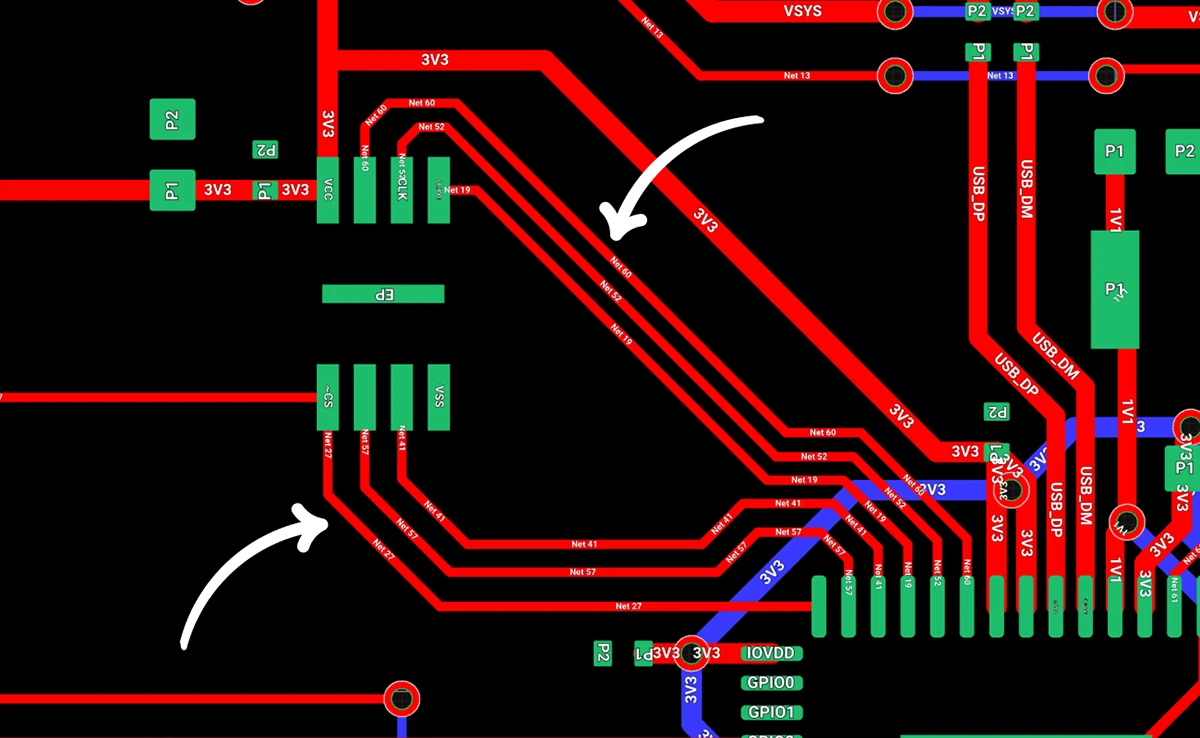
Less Layer Transitions and Vias: By intelligently routing traces, it creates cleaner signal paths, improves electrical performance, and helps simplify manufacturing. The result is a more efficient, robust board design with fewer potential points of failure and often lower production costs.
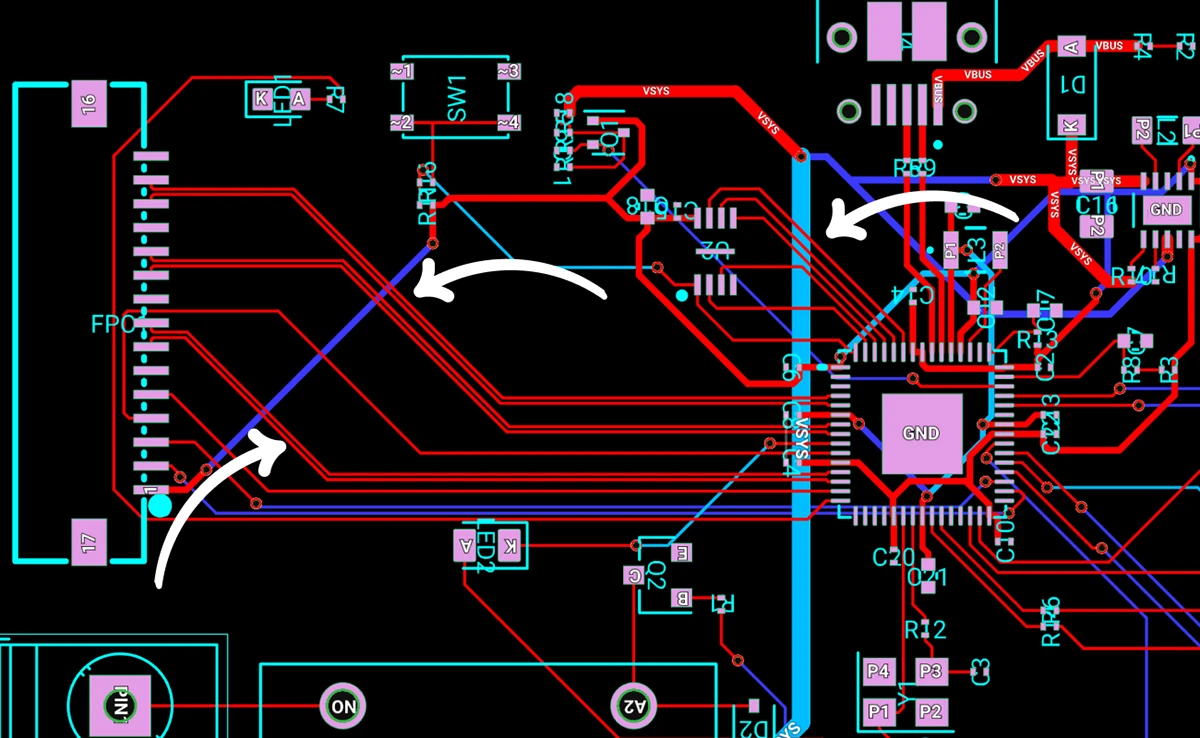
High-Speed Signal Pathfinding: Auto-Layout roughed in clean first-pass routes for medium-complexity boards, including a 3-lane MIPI-CSI interface, the ESP32’s QSPI bus, and its critical clock lines. It maintained proper layer separation, avoiding routing traces directly beneath each other on adjacent layers to help preserve signal quality.
AI Auto Layout is faster in this release. On well prepared boards, the new model reaches strong solutions sooner and stops when further search is unlikely to improve quality. You avoid long, wandering runs and get to a clean layout much more predictably.
On simple two layer boards without sensitive nets, you should expect a complete route in minutes. Boards with dense placement, large trace widths, or strict layer reservations will take longer, but the model now recognizes when it has converged so it avoids wasting credits on unproductive search.
AI credit usage varies based on design complexity, routing constraints, and the length of the run. Here are reference points to help you plan.
If your board includes complex exceptions, tight fanouts, thick power nets that must enter small pads, or manually reserved layers, it may require additional credits. You can always see your live credit usage while the job runs.
This update makes both time and credits more predictable. When the router is progressing toward a strong solution, it continues. When it has reached a point of diminishing returns, it stops. That balance keeps your workflow moving and helps you budget runs more effectively across both two and four layer designs.
This update moves AI Auto Layout closer to the experience many of you have been asking for: cleaner routing, better electrical behavior, faster convergence, and layouts that move you toward a manufacturable board with less effort. It now handles both two and four layer designs more reliably, especially when you provide clear rules and route your most sensitive nets before handing off the rest.
We would love to hear how it performs on your next project. Try it on a real board, share your results, and tell us what you want to see next. Your feedback continues to shape every release.
Try it out today and let us know what you think in Slack.
{{try-ai-auto-layout-today}}
{{underline}}
Traditional autorouters focus on connectivity and shortest paths, which often produces layouts that are tangled, brittle, or difficult to review. AI Auto Layout reasons over placement, net classes, and electrical intent. It places vias more intentionally, follows natural routing channels, and stops when it reaches a strong solution. The result looks closer to a thoughtful first pass from an experienced engineer.
AI Auto Layout performs well on many two and four layer designs, especially when you provide clear rulesets and manually route the most sensitive nets first. It can fully route simple and moderately complex boards. Larger or more constrained designs also work well when critical nets, tight timing paths, or strict layer reservations are guided by hand before running the AI.
On well-prepared two layer boards without sensitive nets, most runs complete in minutes. Four layer and up designs vary more based on placement density, routing constraints, and net priorities. The model is tuned to recognize diminishing returns, so it avoids wasting credits.
Credit usage depends on component count, constraints, and overall geometry. Typical ranges:
You can see your live credit usage while the job runs.
You will get the best results if you:
This mirrors the workflow most teams use when blending manual routing with AI assistance.
Yes. You can define rulesets by net class, set trace widths and clearances, choose via sizes, add zones and keepouts, and guide placement with manual fanouts. Clear, realistic constraints significantly improve results.
Throughout this process, your data remains yours. We employ robust encryption and modern data centers to keep your information secure, just like the trusted cloud services you rely on daily. If you want to learn more, please take a look at our Privacy Statement.