Raspberry Pi Schematics
A Raspberry Pi is a small, affordable, and versatile computer that can be used for a variety of purposes. It has a range of use cases, including: 1. Home media center: The Raspberry Pi can be used to build a home media center, allowing you to stream movies, music, and TV shows to your TV. 2. Desktop computer: With the right accessories, the Raspberry Pi can be used as a desktop computer for everyday tasks such as browsing the internet, creating documents, and playing games. 3. Learning to code: The Raspberry Pi is a great tool for learning to code, with a range of free resources and tutorials available online. 4. Internet of Things (IoT) projects: The Raspberry Pi can be used to build Internet of Things (IoT) projects, such as a smart home system or a weather station. If you're interested in using a Raspberry Pi for your next project, be sure to check out flux.ai, the world's largest community-driven public library of Raspberry Pi footprints, symbols, datasheets, and simulation models. With such a wide range of resources available, you'll have everything you need to get started on your next project.
Raspberry Pi Pico Shield Template
Explore the Raspberry Pi Pico Template Unleash the power of these flexible microcontroller boards, starting at just $4. The Raspberry Pi Pico series features a range of compact, high-performance boards powered by the RP2040 chip. #project-template #template #raspberry #pi #pico
0 Uses13 StarsRP2040
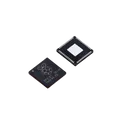
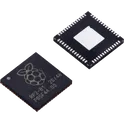
RP2040 chip for Raspberry Pi Pico - ARM® Cortex®-M0+ MCU 32-Bit The RP2040 is a high-performance, low-cost microcontroller built around two ARM Cortex-M0+ cores. It is optimized for flexibility, ease of use, and deterministic real-time performance. Unlike many microcontrollers, it includes a unique programmable I/O subsystem (PIO), allowing custom hardware interfaces without extra components. Key Features Processing Dual-core ARM Cortex-M0+ processors Up to 133 MHz clock speed Efficient integer performance with low power consumption Memory 264 KB on-chip SRAM External QSPI flash support (typically 2 MB–16 MB depending on board) Programmable I/O (PIO) 2 PIO blocks, each with 4 state machines Enables custom protocols (e.g., SPI, I2C, UART, WS2812, VGA, etc.) Offloads timing-critical tasks from CPU 🔗 Connectivity Interfaces 2× UART 2× SPI 2× I2C USB 1.1 controller (device or host support) 16× PWM channels Analog Features 12-bit ADC (up to 5 channels, including internal temperature sensor) Power & Voltage Operating voltage: 1.8V – 3.3V Low-power modes available Package Options QFN-56 (7×7 mm) Development Ecosystem Supports C/C++ SDK MicroPython and CircuitPython support Strong community and documentation Typical Applications Embedded systems and IoT devices Robotics and automation DIY electronics and prototyping USB devices (HID, MIDI, etc.) Custom communication interfaces using PIO #CommonPartsLibrary #IntegratedCircuit #Microcontroller
1.1k Uses12 Stars
AvocAudio: A tinyML community board v1
AvocAudio is a compact tinyML community board designed for extensive audio data collection for various tinyML applications. It leverages the Raspberry Pi RP2040 and integrates a LoRa-E5 LoRaWAN Transceiver Module for connectivity. Equipped with an SD card slot for local data storage, the board ensures efficient data collection. The board operates on solar power or a lithium-ion battery, ensuring flexible and efficient energy use. #audioDevices #raspberryPi #rp2040 #lorawan #iot #solar
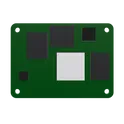
0 Uses10 StarsRaspberry Pi Compute Module 4
The power of Raspberry Pi 4 in a compact form factor for deeply embedded applications. Raspberry Pi Compute Module 4 incorporates a quad-core ARM Cortex-A72 processor, dual video output, and a wide selection of other interfaces. Available in 32 variants, with a range of RAM and eMMC Flash options, and with or without wireless connectivity. raspberry pi4 #rpi #pi
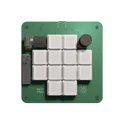
1.3k Uses10 StarsPico Macro Keyboard
The Pico Macro Keyboard is a compact and powerful macro pad built using the latest Raspberry Pi Pico 2. Inspired by the Figma Creator Micro, this keyboard is designed for customizable control and enhanced productivity. It features mechanical switches with per-key RGB lighting, along with two rotary encoders for added functionality. With a modular 4-layer PCB and fully customizable keymaps, it seamlessly integrates with any software, making it perfect for designers, gamers, and power users alike.
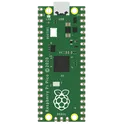
0 Uses8 StarsRaspberry Pi Pico Shield
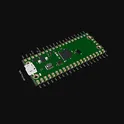
Powerful, flexible microcontroller boards, available from $4. The Raspberry Pi Pico series is a range of tiny, fast, and versatile boards built using RP2040 You may consider using the latest next-generation [Raspberry Pi Pico 2 shield](https://www.flux.ai/jharwinbarrozo/raspberry-pi-pico-2-shield) instead.
1.9k Uses7 StarsRaspberry Pi 5 Hat with PCIe Template
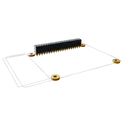
Template for Raspberry Pi 5 Model Shield. Include an official pinout so you will always know Raspberry Pi names, the alternative roles of pins, which one is SDA, or SCL, etc. On PCB you can find the 3D model of the Raspberry Pi itself along with the board outline on the silkscreen. #RaspberryPi #Raspberry #RaspberryPi5 #raspberry #Pi #RPi #Shield #template #project #project-template
0 Uses5 StarsStrangest LED Blinker TestSite
Project Overview: This project is an enhanced LED blinking circuit that goes beyond a simple 555 timer-based design. It incorporates additional features such as random blinking patterns, speed control, and a start/stop function. The project utilizes a microcontroller, such as an Arduino or Raspberry Pi, to control the blinking patterns, speed, and start/stop functionality. LED Blinking: The board features a total of 8 LEDs that blink in various random patterns. When the board is powered on, even before user interaction, the LEDs start blinking randomly, creating an eye-catching display. Each LED has its own current-limiting resistor to ensure proper current flow and prevent damage. The microcontroller is programmed to generate random blinking patterns for the LEDs, ensuring that the LEDs do not blink in a predictable or sequential order. This random blinking adds an element of unpredictability and visual interest to the project. Speed Control: The board includes two speed control buttons that allow the user to adjust the blinking speed of the LEDs. Button 1 is designated as the "fast" button, increasing the blinking speed when pressed, while Button 2 is designated as the "slow" button, decreasing the blinking speed when pressed. The speed control provides a range of blinking speeds, from a slow, gradual blink to a rapid, strobe-like effect. The microcontroller monitors the state of the speed control buttons and adjusts the blinking speed accordingly. Start/Stop Functionality: A third button serves as a start/stop control. When pressed, it toggles the blinking of the LEDs on or off. This allows the user to freeze the blinking pattern at any desired moment or resume the blinking when desired. The microcontroller handles the start/stop functionality by turning the LEDs on or off based on the state of the start/stop button. Manual Speed Adjustment: In addition to the speed control buttons, the board includes a potentiometer or variable resistor. This component allows the user to manually adjust the blinking speed of the LEDs by turning the knob or sliding the control. The manual speed adjustment provides more precise and customizable control over the blinking speed compared to the preset speeds of the buttons. The microcontroller reads the analog value from the potentiometer and adjusts the blinking speed accordingly. Power and Connectivity: The board is powered through a USB-C or USB-micro B connector, allowing it to be easily connected to a power source such as a computer or wall adapter. A voltage regulator may be included to ensure a stable and appropriate voltage supply to the components. A power switch is incorporated to conveniently turn the board on or off.
0 Uses4 StarsRaspberry Pi 5 Hat Template
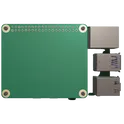
Template for Raspberry Pi 5 Model Shield. Include an official pinout so you will always know Raspberry Pi names, the alternative roles of pins, which one is SDA, or SCL, etc. On PCB you can find the 3D model of the Raspberry Pi itself along with the board outline on the silkscreen. #RaspberryPi #Raspberry #RaspberryPi5 #raspberry #Pi #RPi #Shield #template #project #project-template
0 Uses3 StarsRaspberry Pi Model B Hat Template
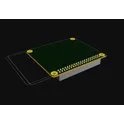
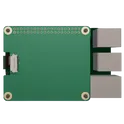
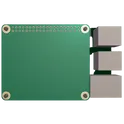
Template for Raspberry Pi 2, 3, 4 or 400 Model B+ Shield. Include an official pinout so you will always know Raspberry Pi names, the alternative roles of pins, which one is SDA, or SCL, etc. On PCB you can find the 3D model of the Raspberry Pi itself along with the board outline on the silkscreen. #RaspberryPi #Raspberry #Pi #RPi #Shield #template #project #project-template
0 Uses3 Stars



Page 1 of 48
Next