ESP32 Schematics
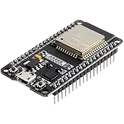
The ESP32 is a low-cost, low-power microcontroller with built-in Wi-Fi and Bluetooth capabilities. It is a highly integrated chip designed for the Internet of Things (IoT) and can be used for a variety of applications, including home automation, wearable technology, and industrial control. One of the key features of the ESP32 is its versatility and wide range of available peripherals, including sensors, displays, and communication modules. This makes it ideal for use in a variety of projects and applications, such as home security systems, smart home devices, and industrial automation systems. Flux.ai has the world's largest community-driven public library of ESP32 devices, with a range of footprints, symbols, datasheets, and simulation models available for users. This extensive library allows developers and designers to easily incorporate the ESP32 into their projects and take advantage of its powerful capabilities. Whether you are building a simple IoT device or a complex industrial control system, the ESP32 is an excellent choice due to its versatility and wide range of available resources.
On Air R2 Demo
Daddy's second circuit board. A sign to let my wife know when I'm on a call. Activates with a slide switch and is powered by USB-C. R2 changes: -Moving to Letter Modules for ease of design -Adding ESP32 for WiFi On/Off and intensity control -Optional: Add unpopulated AA Battery Holder for battery option R1 changes: -Changed LED part to Red LEDs -adjusted resistor value of buck converter -Changed source for USB-C Connector -Removed exposed soldermask on buck converter with negative soldermask expansion -Order with black soldermask Modified by markwu2001: Adjustable Brightness, 85-90% Drive Efficiency <5W Operation (Can use 5V 1A Plug) This project can be purchased from LCSC
0 Uses0 StarsESPRSSO32 Smart Scale AI Auto Layout [Example] tHjA
Learn how to use AI Auto Layout on this ESP32 Espresso Smart Scale! In one click you’ll see AI Auto Layout perform magic. Pay close attention to how we recommend creating rulesets, zones, and fanouts. By copying the setup in this example on your own project, you’ll have a fully routed board in no time!
0 Uses0 StarsESP32 Robot Controller | AI Design Review Tutorial [Example]
Spot the mistake! Learn how to use AI to conduct a design review on an ESP32-based control board. This project is ideal for autonomous or radio-controller robots featuring inputs for sensors, encoders, and a Flysky RC receiver, plus an I2C display for configuration.
0 Uses0 StarsESP32 Robot Controller | AI Design Review Tutorial [Example]
Spot the mistake! Learn how to use AI to conduct a design review on an ESP32-based control board. This project is ideal for autonomous or radio-controller robots featuring inputs for sensors, encoders, and a Flysky RC receiver, plus an I2C display for configuration.
0 Uses0 StarsESP32 Robot Controller | AI Design Review Tutorial [Example]
Spot the mistake! Learn how to use AI to conduct a design review on an ESP32-based control board. This project is ideal for autonomous or radio-controller robots featuring inputs for sensors, encoders, and a Flysky RC receiver, plus an I2C display for configuration.
0 Uses0 StarsESP32 Robot Controller | AI Design Review Tutorial [Example]
Spot the mistake! Learn how to use AI to conduct a design review on an ESP32-based control board. This project is ideal for autonomous or radio-controller robots featuring inputs for sensors, encoders, and a Flysky RC receiver, plus an I2C display for configuration.
0 Uses0 StarsESP32 Robot Controller | AI Design Review Tutorial [Example]
Spot the mistake! Learn how to use AI to conduct a design review on an ESP32-based control board. This project is ideal for autonomous or radio-controller robots featuring inputs for sensors, encoders, and a Flysky RC receiver, plus an I2C display for configuration.
0 Uses0 StarsWiFi Camera with Motion Detection Reference Design dff9
This project is a WiFi Camera with Motion Detection, utilizing ESP32-CAM module and HC-SR501 PIR sensor. The camera is activated by the sensor's output. The system also includes power regulation and communication headers for setup and control. #WiFi #MCU #PIR #ReferenceDesign #project #ESP32 #camera #referenceDesign #edgeComputing #espressif #template #reference-design
0 Uses0 StarsWiFi Camera with Motion Detection Reference Design 0a56
This project is a WiFi Camera with Motion Detection, utilizing ESP32-CAM module and HC-SR501 PIR sensor. The camera is activated by the sensor's output. The system also includes power regulation and communication headers for setup and control. #WiFi #MCU #PIR #ReferenceDesign #project #ESP32 #camera #referenceDesign #edgeComputing #espressif #template #reference-design
0 Uses0 StarsESPRSSO32 Smart Scale AI Auto Layout [Example] aYsM
Learn how to use AI Auto Layout on this ESP32 Espresso Smart Scale! In one click you’ll see AI Auto Layout perform magic. Pay close attention to how we recommend creating rulesets, zones, and fanouts. By copying the setup in this example on your own project, you’ll have a fully routed board in no time!
0 Uses0 StarsESP32 Robot Controller | AI Design Review Tutorial [Example]
Spot the mistake! Learn how to use AI to conduct a design review on an ESP32-based control board. This project is ideal for autonomous or radio-controller robots featuring inputs for sensors, encoders, and a Flysky RC receiver, plus an I2C display for configuration.
0 Uses0 StarsESPRSSO32 Smart Scale AI Auto Layout [Example]
Learn how to use AI Auto Layout on this ESP32 Espresso Smart Scale! In one click you’ll see AI Auto Layout perform magic. Pay close attention to how we recommend creating rulesets, zones, and fanouts. By copying the setup in this example on your own project, you’ll have a fully routed board in no time!
0 Uses0 StarsESPRSSO32 Smart Scale AI Auto Layout [Example]
Learn how to use AI Auto Layout on this ESP32 Espresso Smart Scale! In one click you’ll see AI Auto Layout perform magic. Pay close attention to how we recommend creating rulesets, zones, and fanouts. By copying the setup in this example on your own project, you’ll have a fully routed board in no time!
0 Uses0 StarsESP32 Robot Controller | AI Design Review Tutorial [Example]
Spot the mistake! Learn how to use AI to conduct a design review on an ESP32-based control board. This project is ideal for autonomous or radio-controller robots featuring inputs for sensors, encoders, and a Flysky RC receiver, plus an I2C display for configuration.
0 Uses0 StarsESPRSSO32 Smart Scale AI Auto Layout [Example]
Learn how to use AI Auto Layout on this ESP32 Espresso Smart Scale! In one click you’ll see AI Auto Layout perform magic. Pay close attention to how we recommend creating rulesets, zones, and fanouts. By copying the setup in this example on your own project, you’ll have a fully routed board in no time!
0 Uses0 StarsESPRSSO32 Smart Scale AI Auto Layout [Example]
Learn how to use AI Auto Layout on this ESP32 Espresso Smart Scale! In one click you’ll see AI Auto Layout perform magic. Pay close attention to how we recommend creating rulesets, zones, and fanouts. By copying the setup in this example on your own project, you’ll have a fully routed board in no time!
0 Uses0 StarsESPRSSO32 Smart Scale AI Auto Layout [Example]
Learn how to use AI Auto Layout on this ESP32 Espresso Smart Scale! In one click you’ll see AI Auto Layout perform magic. Pay close attention to how we recommend creating rulesets, zones, and fanouts. By copying the setup in this example on your own project, you’ll have a fully routed board in no time!
0 Uses0 StarsESPRSSO32 Smart Scale AI Auto Layout [Example]
Learn how to use AI Auto Layout on this ESP32 Espresso Smart Scale! In one click you’ll see AI Auto Layout perform magic. Pay close attention to how we recommend creating rulesets, zones, and fanouts. By copying the setup in this example on your own project, you’ll have a fully routed board in no time!
0 Uses0 StarsESPRSSO32 Smart Scale AI Auto Layout [Example]
Learn how to use AI Auto Layout on this ESP32 Espresso Smart Scale! In one click you’ll see AI Auto Layout perform magic. Pay close attention to how we recommend creating rulesets, zones, and fanouts. By copying the setup in this example on your own project, you’ll have a fully routed board in no time!
0 Uses0 StarsESPRSSO32 Smart Scale AI Auto Layout [Example] 5ZsC
Learn how to use AI Auto Layout on this ESP32 Espresso Smart Scale! In one click you’ll see AI Auto Layout perform magic. Pay close attention to how we recommend creating rulesets, zones, and fanouts. By copying the setup in this example on your own project, you’ll have a fully routed board in no time!
0 Uses0 StarsESPRSSO32 Smart Scale AI Auto Layout [Example]
Learn how to use AI Auto Layout on this ESP32 Espresso Smart Scale! In one click you’ll see AI Auto Layout perform magic. Pay close attention to how we recommend creating rulesets, zones, and fanouts. By copying the setup in this example on your own project, you’ll have a fully routed board in no time!
0 Uses0 Stars
![ESPRSSO32 Smart Scale AI Auto Layout [Example] tHjA](https://img-cdn.flux.ai/eyJidWNrZXQiOiJncmF2aXRvbi1lbGVjdHJpYy1zeW1ib2xzIiwia2V5IjoiZG9jdW1lbnRfYXNzZXRzL0VTUFJFU1NPMzJfU21hcnRfU2NhbGVfM0RfVGh1bW5haWwtY2QxNTI2NjItNjdjMi00MTk4LWJmNjUtNDJiZDk5N2E0ODYyLnBuZyIsImVkaXRzIjp7InJlc2l6ZSI6eyJ3aWR0aCI6MTI0LCJoZWlnaHQiOjEyNCwiZml0IjoiY29udGFpbiIsImJhY2tncm91bmQiOnsiciI6MCwiZyI6MCwiYiI6MCwiYWxwaGEiOjB9fX0sIm91dHB1dEZvcm1hdCI6IndlYnAifQ==)
![ESP32 Robot Controller | AI Design Review Tutorial [Example]](https://img-cdn.flux.ai/eyJidWNrZXQiOiJncmF2aXRvbi1lbGVjdHJpYy1zeW1ib2xzIiwia2V5IjoiZG9jdW1lbnRfYXNzZXRzL1RodW1ibmFpbC1FU1AzMi0tMS0tZTNjNjM0OGEtYjEzMy00YjliLWEyYTItMzY1MGNiMjgyYWJiLnBuZyIsImVkaXRzIjp7InJlc2l6ZSI6eyJ3aWR0aCI6MTI0LCJoZWlnaHQiOjEyNCwiZml0IjoiY29udGFpbiIsImJhY2tncm91bmQiOnsiciI6MCwiZyI6MCwiYiI6MCwiYWxwaGEiOjB9fX0sIm91dHB1dEZvcm1hdCI6IndlYnAifQ==)