Top User Components
Discover the most popular and effective components used in cutting-edge PCB designs on Flux.ai. This collection showcases the components that have been integral to the success of our community's most innovative printed circuit board designs. Ranging from simple resistors to complex integrated circuits, these components represent the best in terms of functionality, reliability, and performance. It’s a treasure trove for anyone looking to enhance their PCB layout and designs with proven, high-quality components. It's an excellent resource for gaining insights into the component preferences of skilled designers and understanding why certain components stand out in the realm of electronic design. Whether you're refining your current project or starting a new one, these components offer valuable inspiration and a benchmark for quality. By spotlighting the components chosen by our top users, Flux.ai not only celebrates the ingenuity of its community but also fosters a culture of sharing and learning. This subcategory is a testament to the collaborative spirit at Flux.ai, encouraging continuous improvement and exploration in electronic component selection.
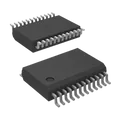
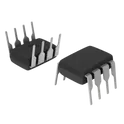
TB6612FNG,C,8,EL
Motor Driver Power MOSFET Parallel 24-SSOP The TB6612FNG,C,8,EL is a dual H-bridge motor driver IC developed by Toshiba. It is designed to control the speed and direction of two DC motors or one bipolar stepper motor. This device uses low ON-resistance MOSFETs for efficient operation, resulting in lower heat generation and higher efficiency compared to traditional bipolar transistor-based drivers. It is widely used in robotics, motor control applications, and embedded systems. Key Features Motor Drive Capability Dual H-bridge driver (can drive 2 DC motors or 1 stepper motor) Output current: 1.2 A (continuous) per channel 3.2 A (peak) per channel Wide motor supply voltage range: 2.5 V to 13.5 V Logic & Control Logic supply voltage (VCC): 2.7 V to 5.5 V Compatible with 3.3 V and 5 V microcontrollers (e.g., ESP32, Arduino) Control inputs: IN1, IN2 (per channel for direction control) PWM input for speed control STBY (standby mode for power saving) Efficiency & Performance Low ON-resistance MOSFETs: Reduces power loss and heat High efficiency compared to L298N-type drivers Built-in shoot-through protection Protection Features Thermal shutdown protection Overcurrent protection Under voltage lockout (UVLO) #Commonpartslibrary #Motordriver #Integratedcircuit #TB6612
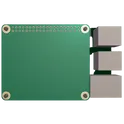
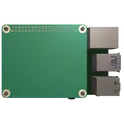
76.8k Uses3 StarsRaspberry Pi 5 Hat Template
Template for Raspberry Pi 5 Model Shield. Include an official pinout so you will always know Raspberry Pi names, the alternative roles of pins, which one is SDA, or SCL, etc. On PCB you can find the 3D model of the Raspberry Pi itself along with the board outline on the silkscreen. #RaspberryPi #Raspberry #RaspberryPi5 #raspberry #Pi #RPi #Shield #template #project #project-template
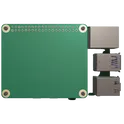
0 Uses3 StarsRaspberry Pi Model B Hat Template
Template for Raspberry Pi 2, 3, 4 or 400 Model B+ Shield. Include an official pinout so you will always know Raspberry Pi names, the alternative roles of pins, which one is SDA, or SCL, etc. On PCB you can find the 3D model of the Raspberry Pi itself along with the board outline on the silkscreen. #RaspberryPi #Raspberry #Pi #RPi #Shield #template #project #project-template
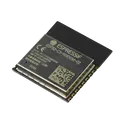
0 Uses3 StarsESP32-C6-WROOM-1-N4
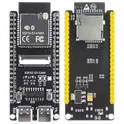
802.15.4 Bluetooth, Wi-Fi Bluetooth v5.0, ZigBee® Transceiver Module 2.4GHz PCB Trace Surface Mount The ESP32-C6-WROOM-1-N4 is based on the ESP32-C6 single-core RISC-V microcontroller, integrating advanced wireless standards and secure connectivity in a small module format. It is designed for next-generation IoT devices that require Wi-Fi 6 efficiency, mesh networking, and Bluetooth Low Energy support. Processor: 32-bit RISC-V single-core CPU (up to 160 MHz) Wireless Connectivity: Wi-Fi 6 (802.11ax, 2.4 GHz) Bluetooth LE 5.0 IEEE 802.15.4 (Thread / Zigbee support) Memory (N4 variant): 4 MB Flash Security: Secure boot Flash encryption Cryptographic hardware acceleration #commonpartslibrary #rf #wireless #transceiver #module #zigbee
408 Uses3 StarsESP32 Music Player Reference Design
This project comprises a design for an ESP32 based Music Player. It consists of components like ESP32-WROOM-32E for RF/WIFI/MCU functionalities, PCM5102 for audio processing, CH340C for USB to UART communication, and acts as a robust and efficient system for music playback operations. Various supporting components such as capacitors, resistors, LEDs, buttons, etc., further enhance the performance. #referenceDesign #project #ESP32 #ESP32WROOM #RF #WIFI #MCU #music #MP3 #player #referenceDesign #simple-embedded #espressif #reference-design #polygon
0 Uses3 StarsRaspberry Pi 4 Hat Template
Template for Raspberry Pi 4 Shield. Include an official pinout so you will always know Raspberry Pi names, the alternative roles of pins, which one is SDA, or SCL, etc. On PCB you can find the 3D model of the Raspberry Pi itself along with the board outline on the silkscreen. #RaspberryPi #Raspberry #Pi #RPi #Shield #template #project #project-template #raspberry
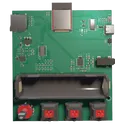
0 Uses3 StarsESPRSSO32 Smart Scale AI Auto Layout [Example]
Learn how to use AI Auto Layout on this ESP32 Espresso Smart Scale! In one click you’ll see AI Auto Layout perform magic. Pay close attention to how we recommend creating rulesets, zones, and fanouts. By copying the setup in this example on your own project, you’ll have a fully routed board in no time!
0 Uses3 Stars




![ESPRSSO32 Smart Scale AI Auto Layout [Example]](https://img-cdn.flux.ai/eyJidWNrZXQiOiJncmF2aXRvbi1lbGVjdHJpYy1zeW1ib2xzIiwia2V5IjoiZG9jdW1lbnRfYXNzZXRzL0VTUFJFU1NPMzJfU21hcnRfU2NhbGVfM0RfVGh1bW5haWwtY2QxNTI2NjItNjdjMi00MTk4LWJmNjUtNDJiZDk5N2E0ODYyLnBuZyIsImVkaXRzIjp7InJlc2l6ZSI6eyJ3aWR0aCI6MTI0LCJoZWlnaHQiOjEyNCwiZml0IjoiY29udGFpbiIsImJhY2tncm91bmQiOnsiciI6MCwiZyI6MCwiYiI6MCwiYWxwaGEiOjB9fX0sIm91dHB1dEZvcm1hdCI6IndlYnAifQ==)